
Several options can be used to help stop selling tickets for an event.
There may be times when you decide to stop selling tickets — for example, due to a venue change, or a decision to limit availability to increase demand.
The options below provide a few ways to approach this. Each is independent, and you can use more than one.
Remove the Tickets Page
One of the first things to consider when you stop selling tickets is whether to remove the page from your event website.
Leaving the page viewable to guests lets you display sold-out tickets, managed by setting an appropriate maximum number of tickets available (see below).
Removing the page makes it more difficult for guests to purchase tickets, though it doesn't stop them entirely — if a guest has the direct website address of the Tickets page, they can still navigate to it and use it to purchase tickets.
See Configuring Menu Entries for more information.
Delete the Tickets Page
If you no longer want the Tickets page to appear in your menu, and aren't planning to share its address for last-minute purchasers, you can delete it from your event website entirely.
- Click Manage Pages on the Website Editor sidebar to open the Website Pages window.
- Use the Actions button next to the Tickets page to delete it.
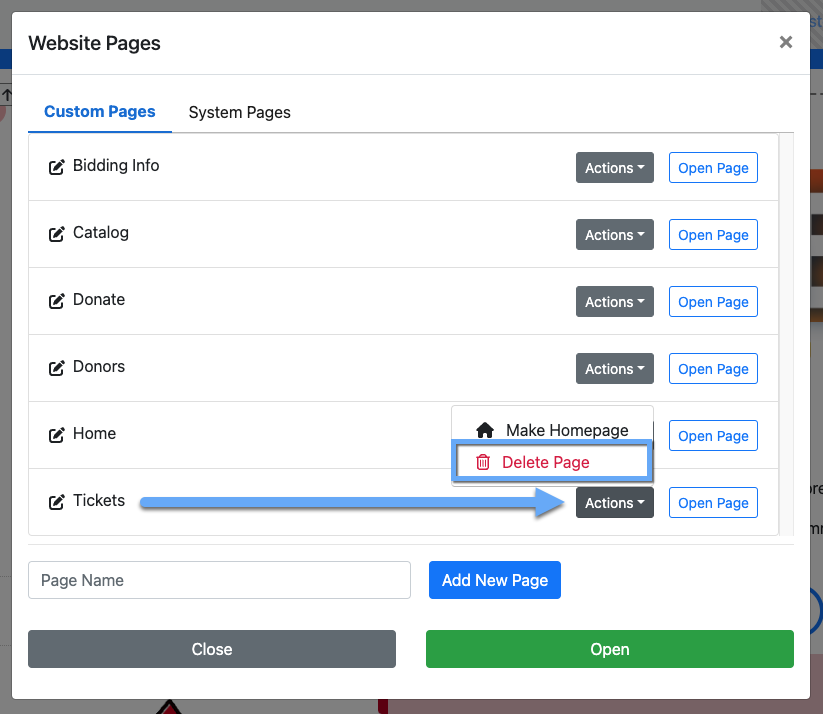
An example from a demonstration event.
Adjust the Maximum Number of Tickets
An important setting to address when selling tickets is your event's real-world limits — venue capacity, the number of tables and chairs available, and so on. Set the maximum number of tickets for the event, and, if needed, a maximum for each individual ticket item.
Maximum Per Event
To set the maximum number of tickets for the whole event, use Maximum number of tickets to sell, across all ticket items on the Ticket Settings page, under Ticket Options.
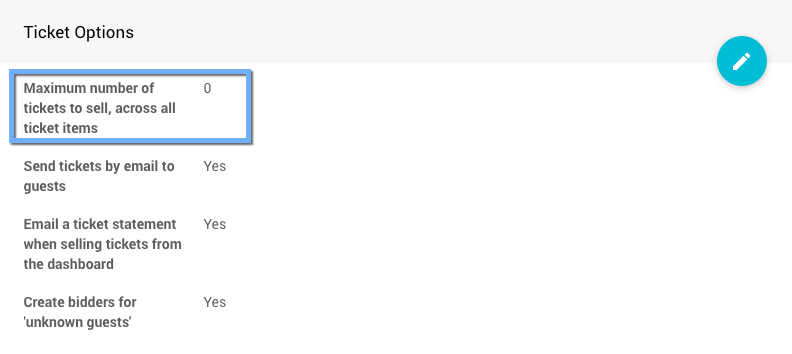
An example Ticket Options panel from a demonstration event.
Maximum Per Ticket
To set the maximum number of tickets for a specific ticket item, change its Quantity value on its Item Details page, in the Availability panel.
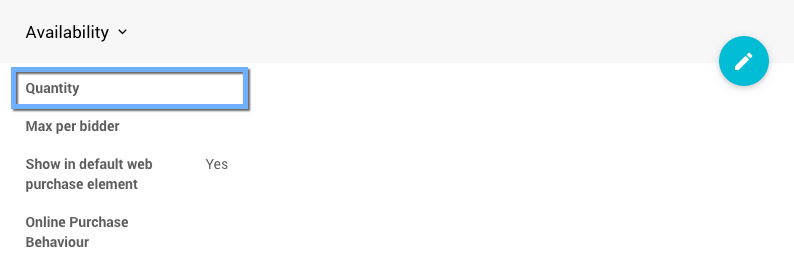
An example from a demonstration event.
See Availability for more information.
Reset Online Availability
The last, optional step is to set or reset the Online Availability of the ticket item. The best approach is to set Override online bidding/sales end to a moment before you want sales to stop. This captures any tickets that were already in a website visitor's shopping cart before the cutoff.
See Introduction To Online Availability for more information.