
Automatically assign Partial items to Basket items based on matching item number patterns.
The Build Baskets function automatically assigns Partial items to Basket items by matching item numbers that follow the pattern A.B, where A is the Basket item number and B identifies the Partial item within it. For example, Partial item 1000.1 would be assigned to Basket item 1000.
Adding Items Manually
You can also add Partial items to a basket individually through the Contents tab on the basket's Item Details page. See Baskets And Packages for more details.
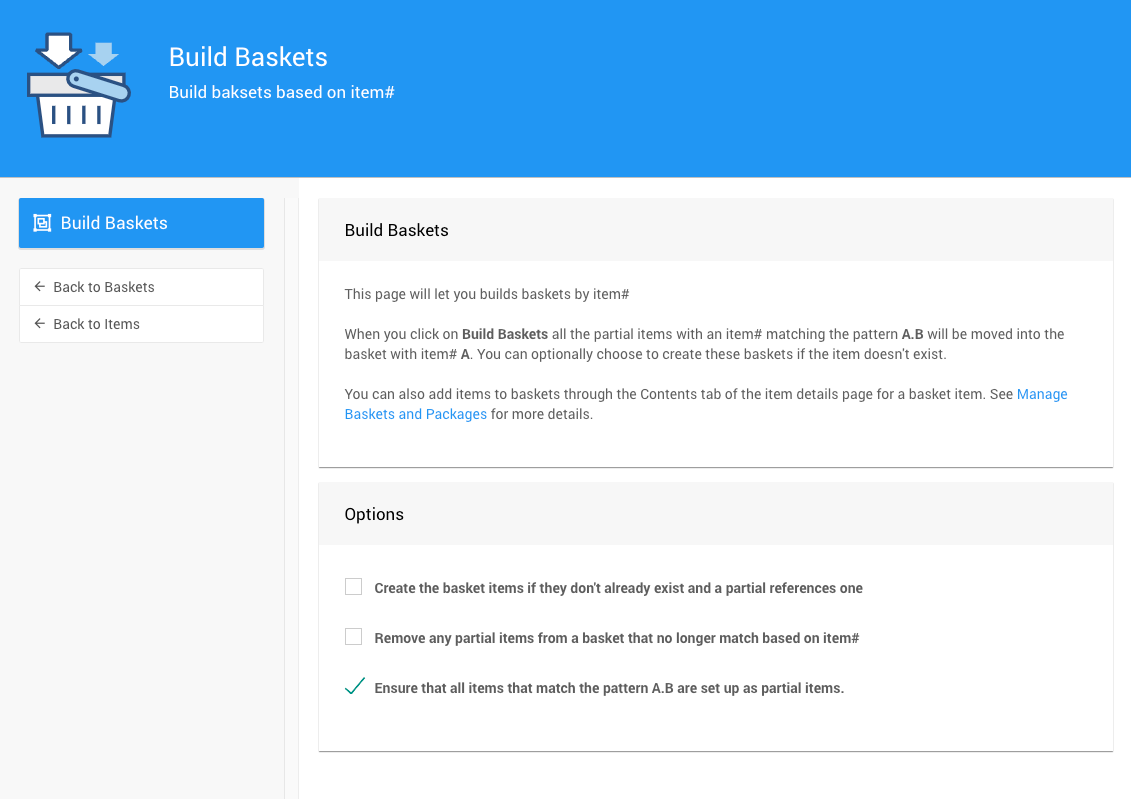
Options
| Option | Description |
|---|---|
| Create basket items if they don't already exist | Creates a new Basket item for any Partial item that references a basket that doesn't yet exist. In the examples below, this would create Basket items 1001 and Basket_Two. |
| Remove partial items from a basket that no longer match based on item# | Removes Partial items from their basket if their item number no longer matches the basket's item number pattern. In the examples below, this would remove items 1001.4 and Basket_Two.Partial_D. |
| Ensure all items matching the pattern A.B are set as Partial items | Updates the Item Type of any A.B formatted item to Partial if it isn't already. |
Examples
The tables below show how the Build Baskets function processes different item number formats. The Item# column shows the item number and the Reference column describes how it would be handled.
Mixed Alpha-Numeric Item Numbers
Basket and Partial item numbers can use any combination of letters and numbers, as long as the Basket item number (A) is used as the prefix for its Partial items (A.B).
Numeric Item Numbers
| Item# | Reference |
|---|---|
1000 | Basket item |
1000.1 | Partial item for Basket 1000 |
1000.3 | Partial item for Basket 1000 |
1001.4 | Partial item for Basket 1001 — basket does not exist |
With the default options shown in the screenshot above, Build Baskets would assign items 1000.1 and 1000.3 to Basket 1000. Item 1001.4 would not be assigned since Basket 1001 does not exist and Create basket items if they don't already exist is not enabled.
Alphabetical Item Numbers
| Item# | Reference |
|---|---|
Basket_One | Basket item |
Basket_One.Partial_A | Partial item for Basket Basket_One |
Basket_One.Partial_C | Partial item for Basket Basket_One |
Basket_Two.Partial_D | Partial item for Basket Basket_Two — basket does not exist |
With the default options shown in the screenshot above, Build Baskets would assign items Basket_One.Partial_A and Basket_One.Partial_C to Basket Basket_One. Item Basket_Two.Partial_D would not be assigned since Basket Basket_Two does not exist and Create basket items if they don't already exist is not enabled.