
Learn about online bidding and how bidders can participate through the website, mobile app and texting.
🌐 What are Online Auctions?
Online Auctions are fully digital—from item browsing to bidding to checkout. They're flexible, easy to set up, and accessible to anyone with a phone or computer.
Online Auction items use the Online Bidding item type in Auctria.
🛠️ How to Set Up an Online Auction
- Go to your Items dashboard.
- Click Add Item and choose the Online bidding type.
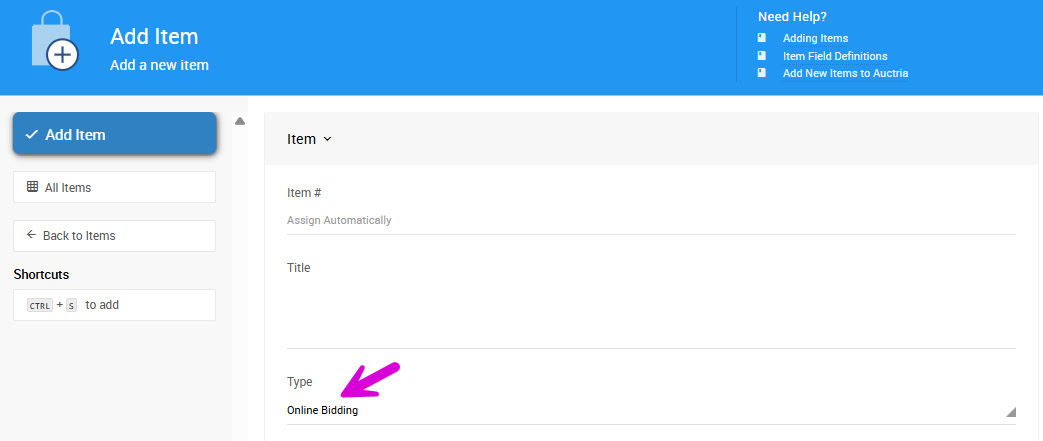
An example from a demonstration event.
- Enter your item’s name, description, fair market value, minimum bid, and other details.
- Set your bidding open and close times in the Bidding Settings section.
- Publish the item to make it visible on your auction website.
🖥️ All items will appear on your event site once they’re published and bidding is open!
📱 How Guests Participate
Guests can browse your catalog and place bids through:
- The event website (mobile and desktop friendly)
- The Mobile Bidding App
- Text Messages (if enabled)
- Kiosk Mode (at in-person events)
Event participants can register with an email or Facebook account to start placing bids.
📝 Record Online Bids
Online bids can be manually recorded in the Auctria system. Click Bidding on the left sidebar, then select the Record Online Bids block.
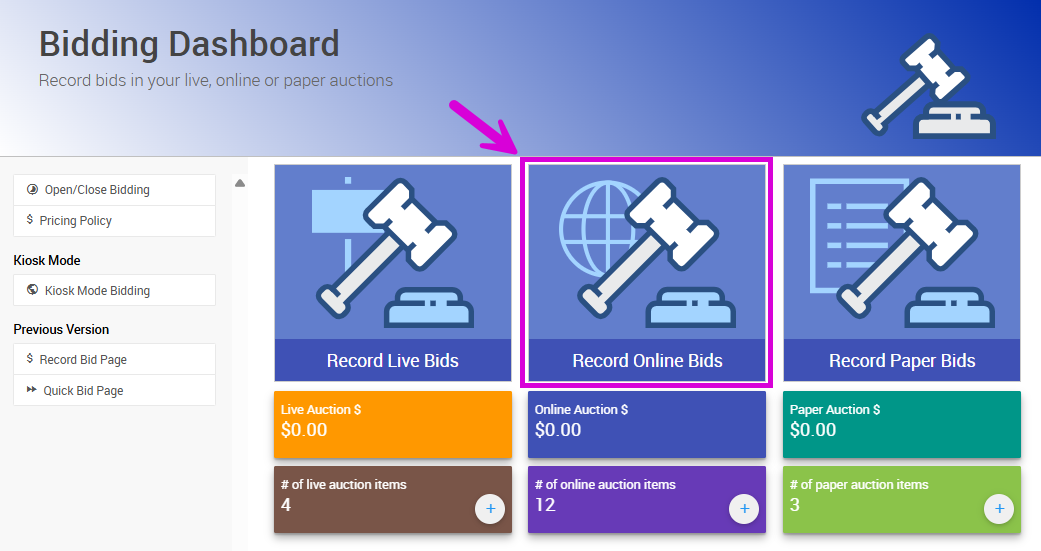
An example from a demonstration event.
This will open the Online Auction page, where you can select the item, participant, and bid amount.
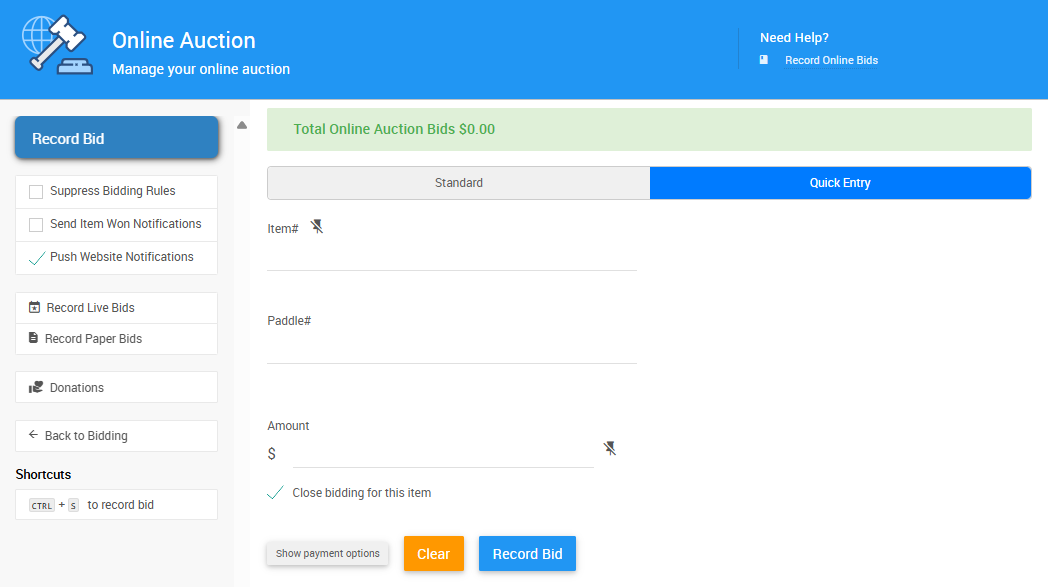
An example from a demonstration event.
➡️ See Record Online Bids for more information.
✉️ How to Notify Participants
Auctria helps you keep your guests engaged and informed:
- Outbid notifications via email, text, or app push
- Custom announcement banners on your event site
📣 Keep your auction competitive with timely reminders!
⚙️ Optional Features
📲 Text Message Bidding
Allow guests to bid via SMS—no smartphone required. Works well for guests who already know item numbers.
➡️ See Text Messages to learn more.
🖥️ Kiosk Mode
Set up shared devices (like tablets) at your event so guests can place online bids without needing their own phone or login credentials.
➡️ See Kiosk Mode Bidding for more information.
🔗 More About Online Auctions
- ✅ Online Bidding Items — Create and configure online bidding items
- ✅ Mobile App — Encourage bidders to install the Auctria app for alerts and easier bidding
- ✅ Combine with Paper Auctions (Optional) — Enable online pre-bidding for paper items to build momentum before your event