
Step-by-step instructions for creating an Early Bird ticket for a table of guests in Auctria.
Steps
- From Tickets, click Add Ticket Item.
- Assign a unique Item# to the ticket, such as
EARLYBIRDTABLE.
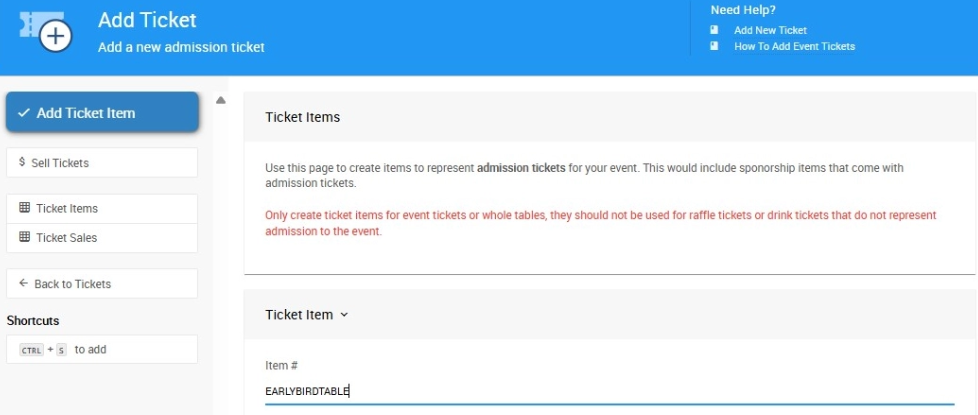
An example from a demonstration event.
- Enter the ticket name in the Title field.
- Enter the ticket description in the Description field.
- Enter the ticket price in the Value field.
- Enter the total number of admissions included in the ticket in the Tickets Per Sale field — for a table of 8, enter
8. - Check Create a table when sold so a table is automatically created when this ticket is purchased.
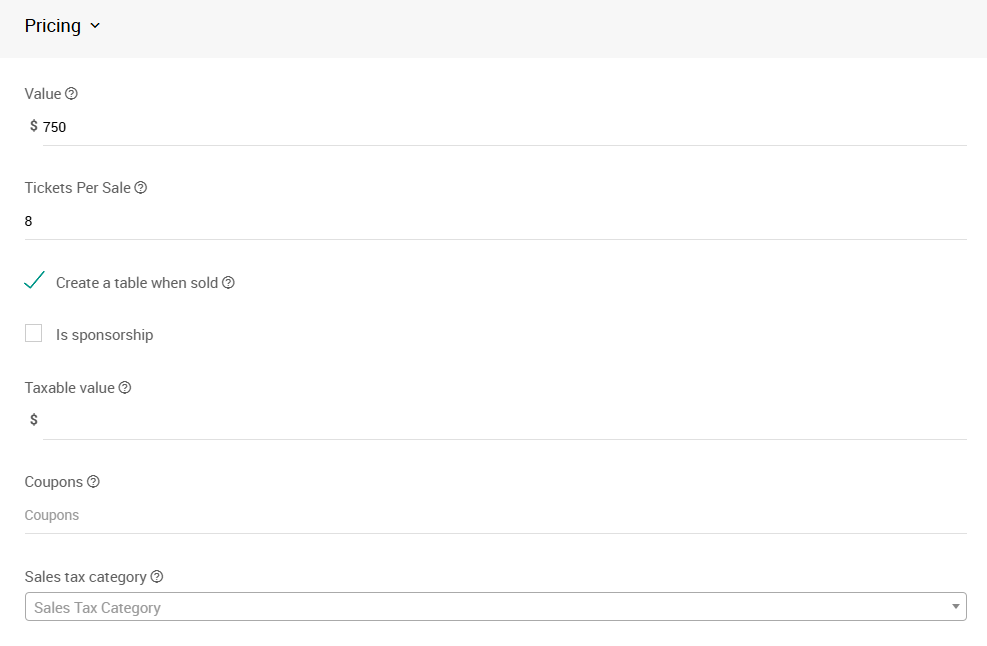
An example from a demonstration event.
- Set the Quantity field to the number of Early Bird tables available — for example,
8. - Set the Override online bidding/sales start field to a date and time before the event begins, to start early sales.
- Set the Override online bidding/sales end field to a date and time before the event begins, to stop early sales.
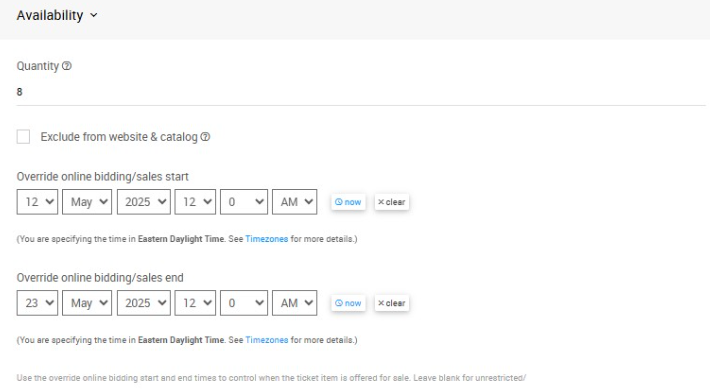
An example of a Ticket configured for 8 available Early Bird tables, with sales starting and ending before event night.
- Click Add Ticket Item to save the ticket.
Where to find your new ticket
Recently added tickets appear at the top of the Add Ticket page.
Selling single Early Bird tickets?
If you're offering a single admission Early Bird ticket rather than a table, see How To Add Early Bird Tickets.