
Learn about the custom pages built into your Auctria event website.
Custom Pages are pre-built pages included with your Auctria event website. Many appear automatically when specific content is added to your event, such as auction items, donations, or sponsorships. Their content can be edited, and they can be added to or removed from your navigation menu through Configure Menu Entries. Unlike System Pages, custom pages can be permanently deleted.
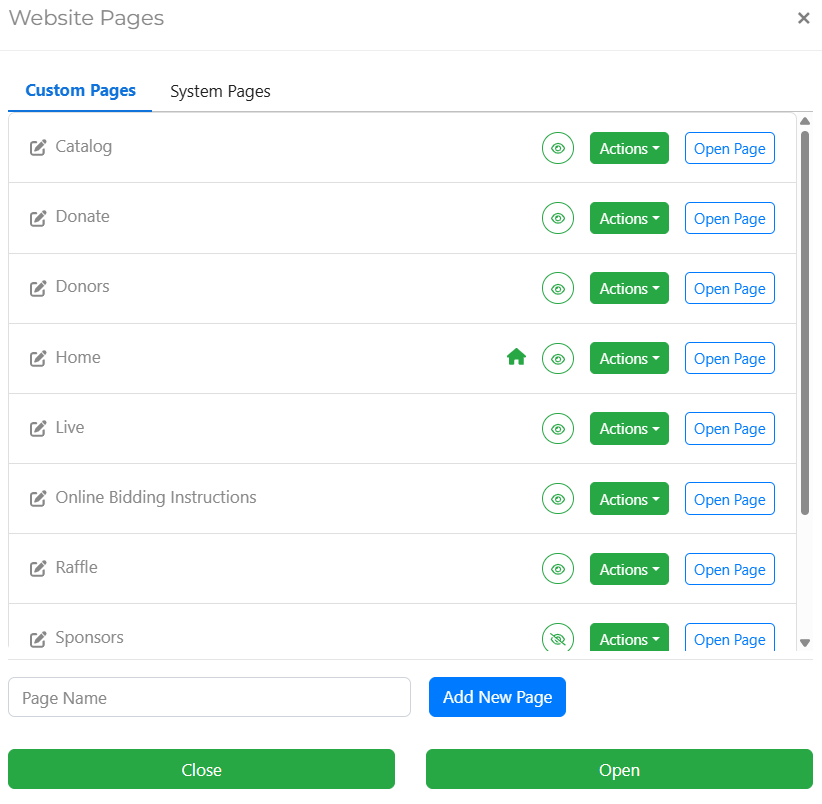
An example of Custom Pages listed in the Website Pages window.
Custom Pages appear in both the Custom Pages tab of the Website Pages window and in the Header Links window when configuring menu entries.
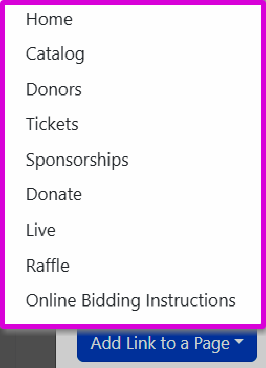
Custom pages can be added from the Header Links window.
| Page | Description |
|---|---|
| Catalog | Displays your event's item catalog for bidding and purchase. |
| Donate | Provides a donation form for supporters who want to give directly to your cause. |
| Donors | Displays a list of donors who have contributed to your event. |
| Home | The main landing page for your event website. |
| Live Auction | Displays live auction items and supports bidding during the live auction. |
| Raffle | Displays raffle tickets available for purchase. |
| Sponsors | Displays your event sponsors. |
| Sponsorships | Displays sponsorship opportunities available for purchase. |
| Tickets | Displays available tickets for purchase. |
Deleting a custom page is permanent
Deleting a custom page cannot be undone. The page will need to be rebuilt from scratch if you wish to restore it. See Add New Page for details on creating a new page.