
Learn about enabling the ticket claim feature, which provides a claim link to ticket buyers that they can share with guests.
What Is Guest Ticket Claim?
Guest Ticket Claim makes it easier for hosts to manage group ticket purchases. When someone buys a table or multiple tickets, they can share a claim link with their guests. Each guest can then provide their own contact information and claim their admission ticket.
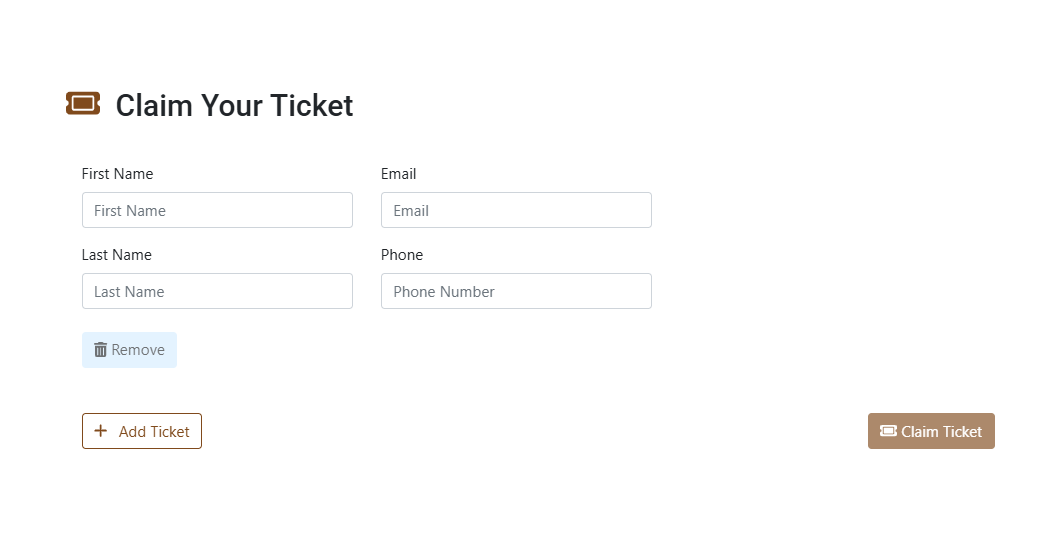
An example Ticket Claim page from a demonstration event.
This feature lets the purchaser of a group of tickets, like a full table or multiple admissions, send a ticket claim link to their guests. Each guest can follow the link, fill out their own details, and claim their ticket for themselves — reducing the organizer's workload and streamlining check-in.
Enable Guest Ticket Claim
To turn on this feature for your event:
- Go to Tickets in the left sidebar.
- Click Ticket Settings.
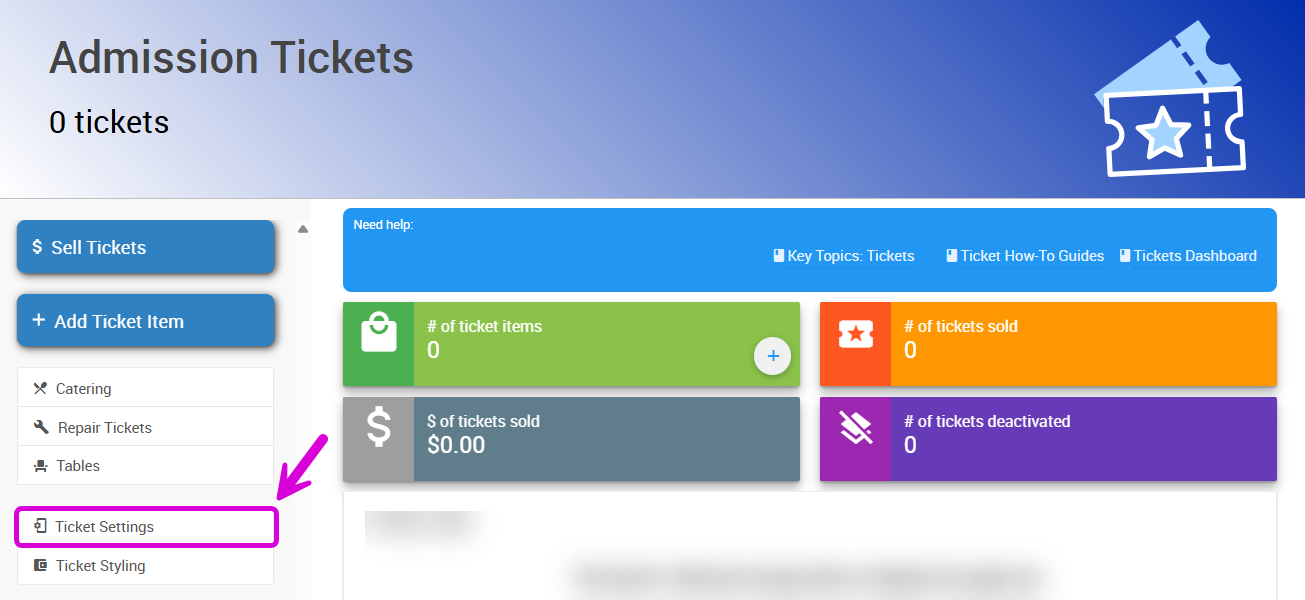
An example from a demonstration event.
- In the Ticket Options section, click the pencil icon.
- Enter a number in the Minimum tickets required to claim admission tickets field. For example, entering
3means anyone who buys 3 or more tickets receives a claim link.
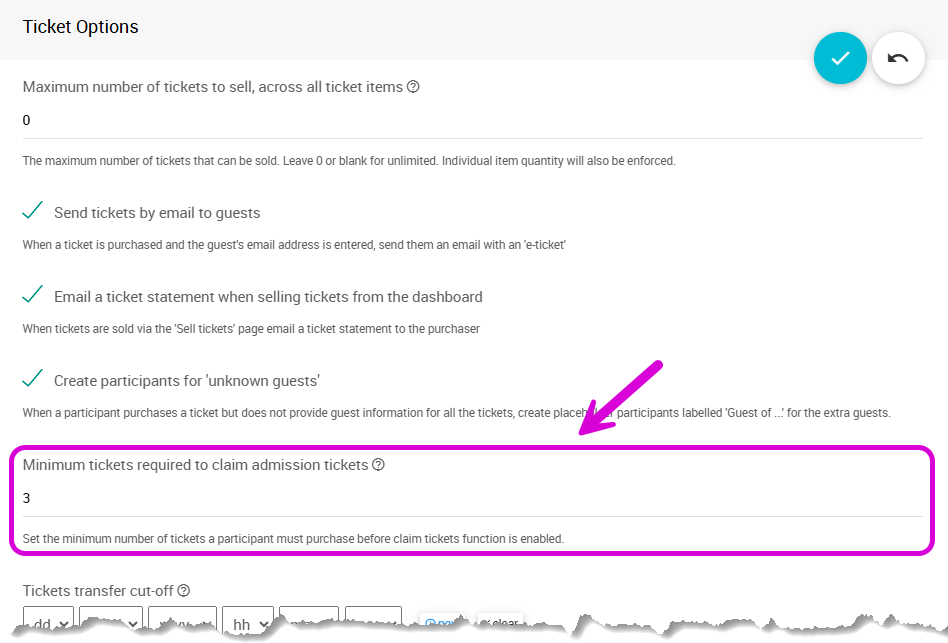
An example from a demonstration event.
- Click the checkmark button to save.
How the Claim Link Works
Once a purchase qualifies, the claim link appears on the ticket purchase confirmation page on your event website.
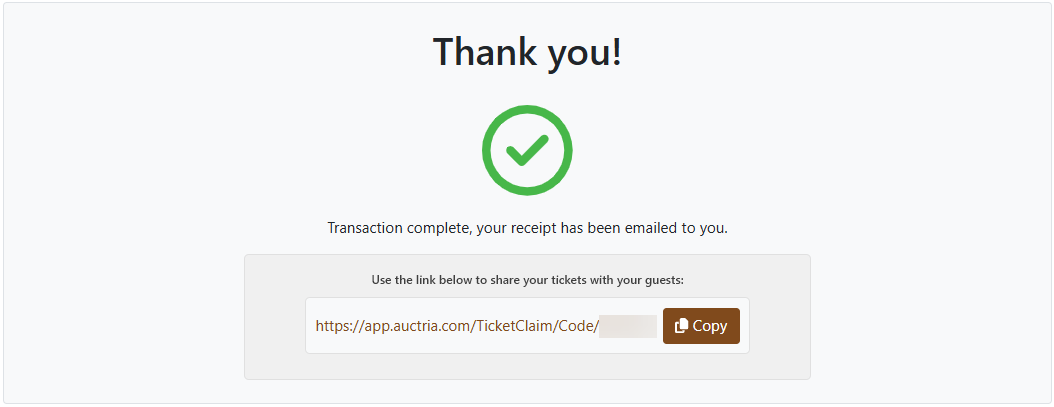
An example ticket purchase confirmation page from a demonstration event.
It's also included in the buyer's ticket statement email.
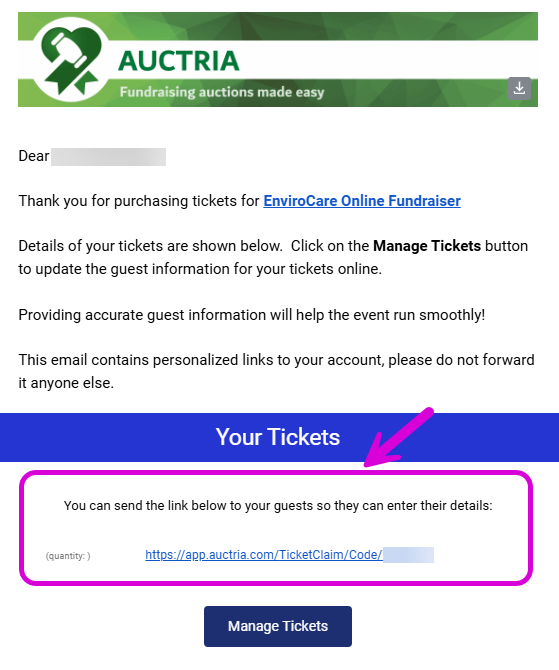
An example ticket statement email from a demonstration event.
The buyer can share the link with their guests, who use it to open the link, enter their own name and contact information, and claim one or more of the admission tickets from the group.
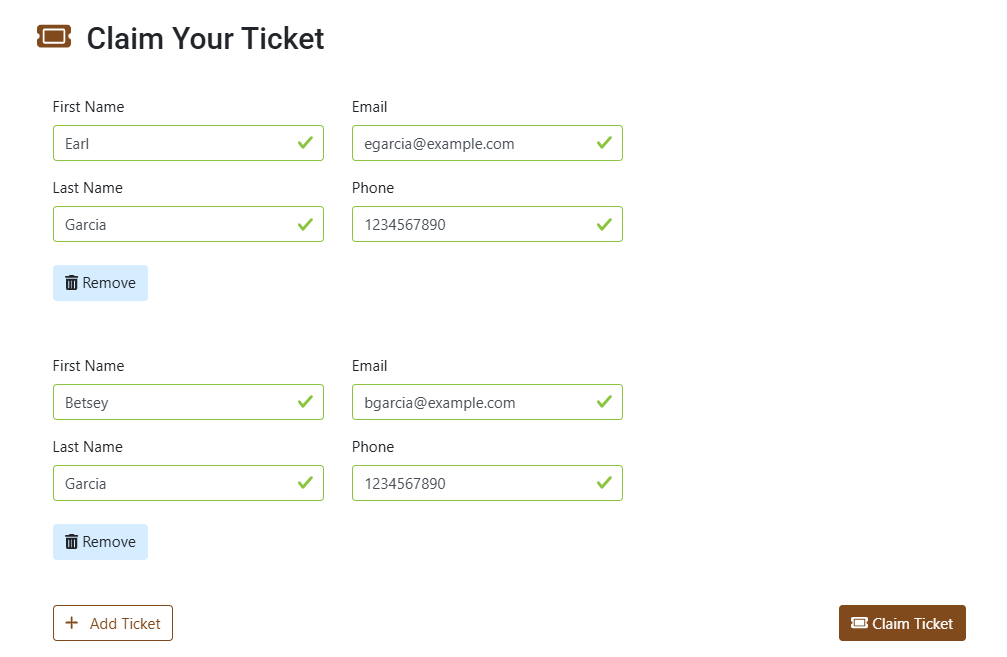
An example from a demonstration event.
Each guest then has their own claimed ticket, ready for check-in.