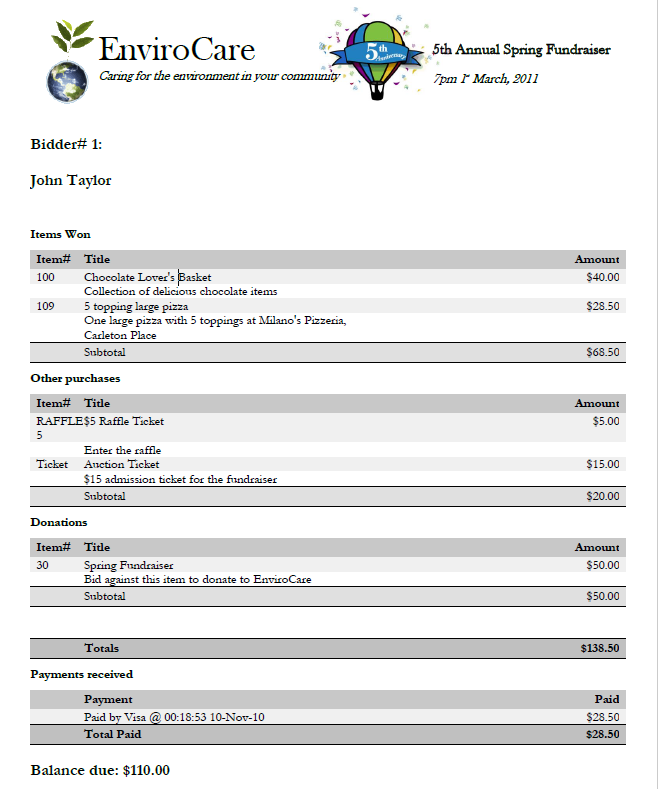
If you will be mailing printed statements, you can customize the appearance.
From the main Event Dashboard, click through the Participants entry and then click the Statements entry in the Participants Dashboard sidebar. This will open the Statements dashboard.
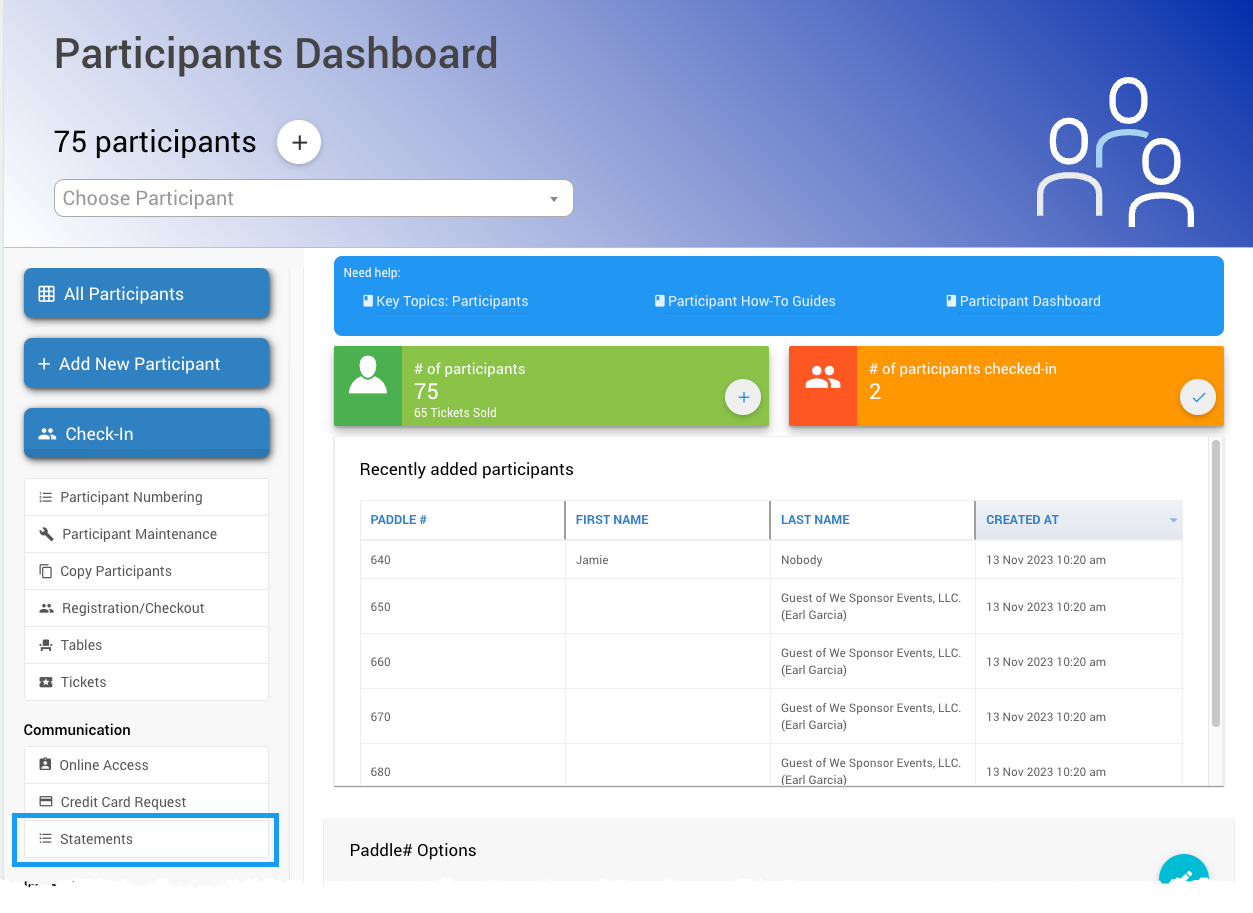
An example from a demonstration event.
Print Statements
From the Statements dashboard, click the Print Statements entry in its sidebard.
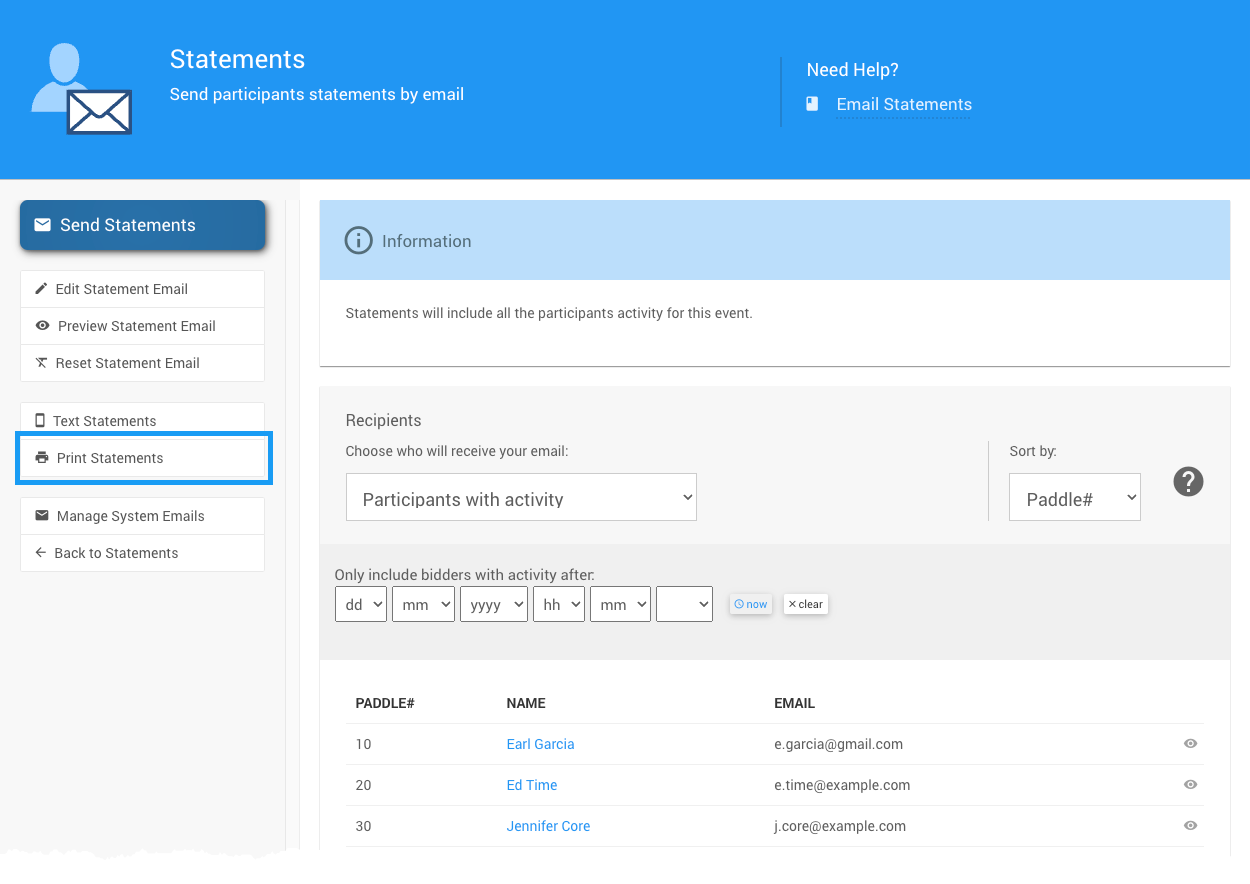
Print Statements
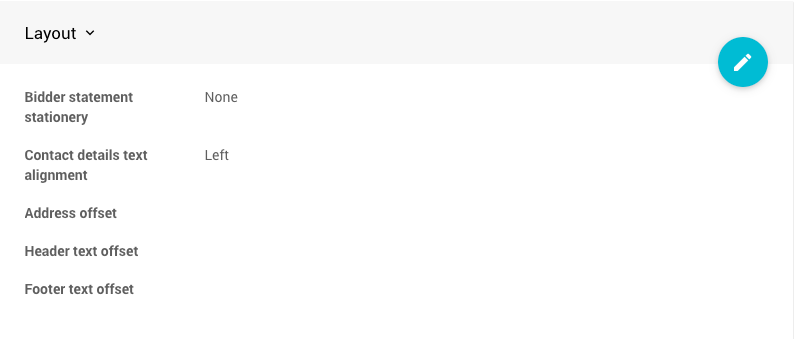
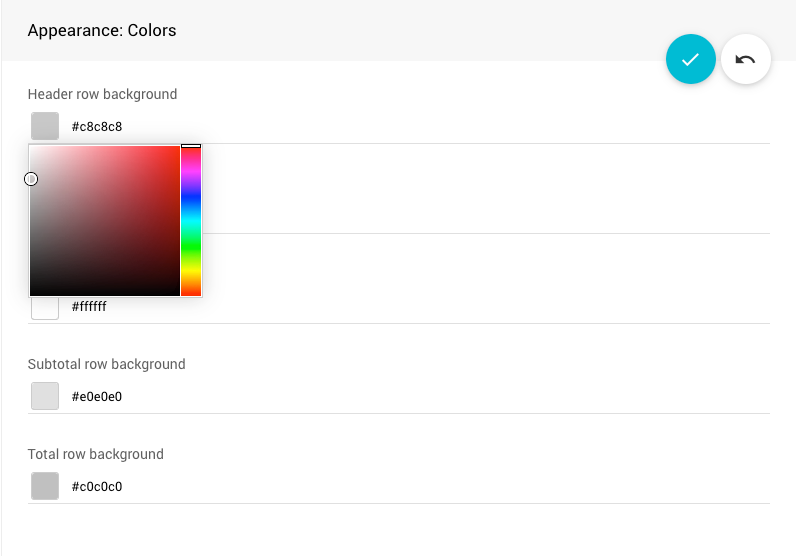
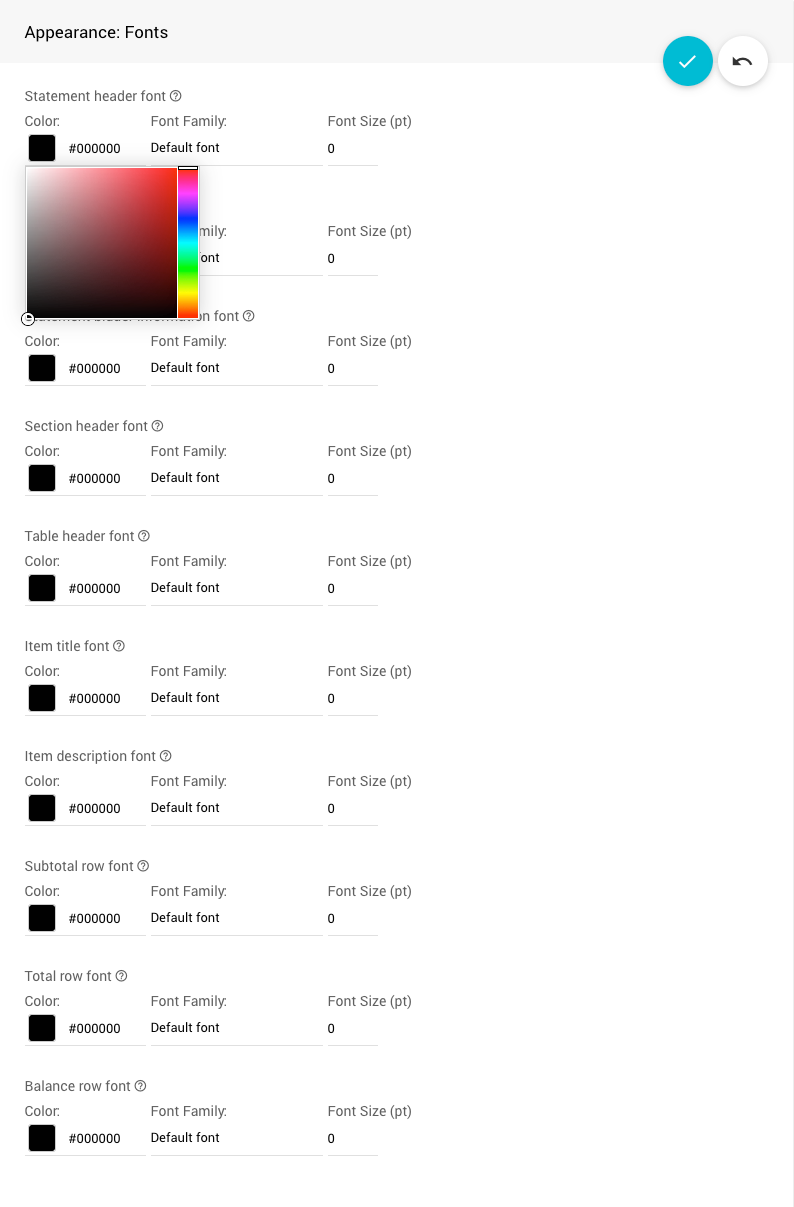
On the Statements page, select the Appearance tab and click the Edit icon to make changes to the layout, colors, and fonts.
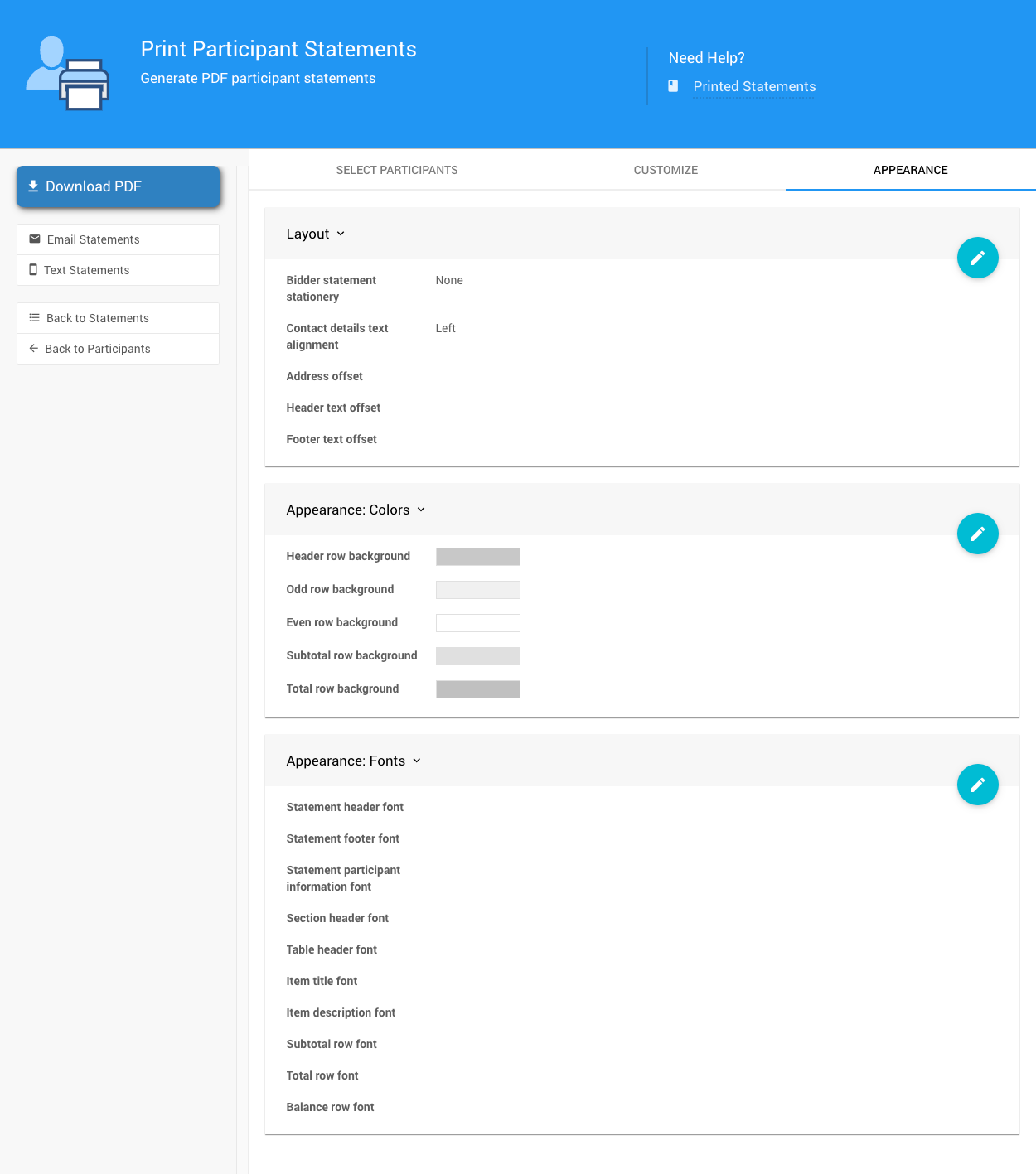
An example from a demonstration event.
Statement layout
Statement colors
Statement fonts
Download PDF Statements
To download a PDF of statements for all selected participants, click Download PDF.
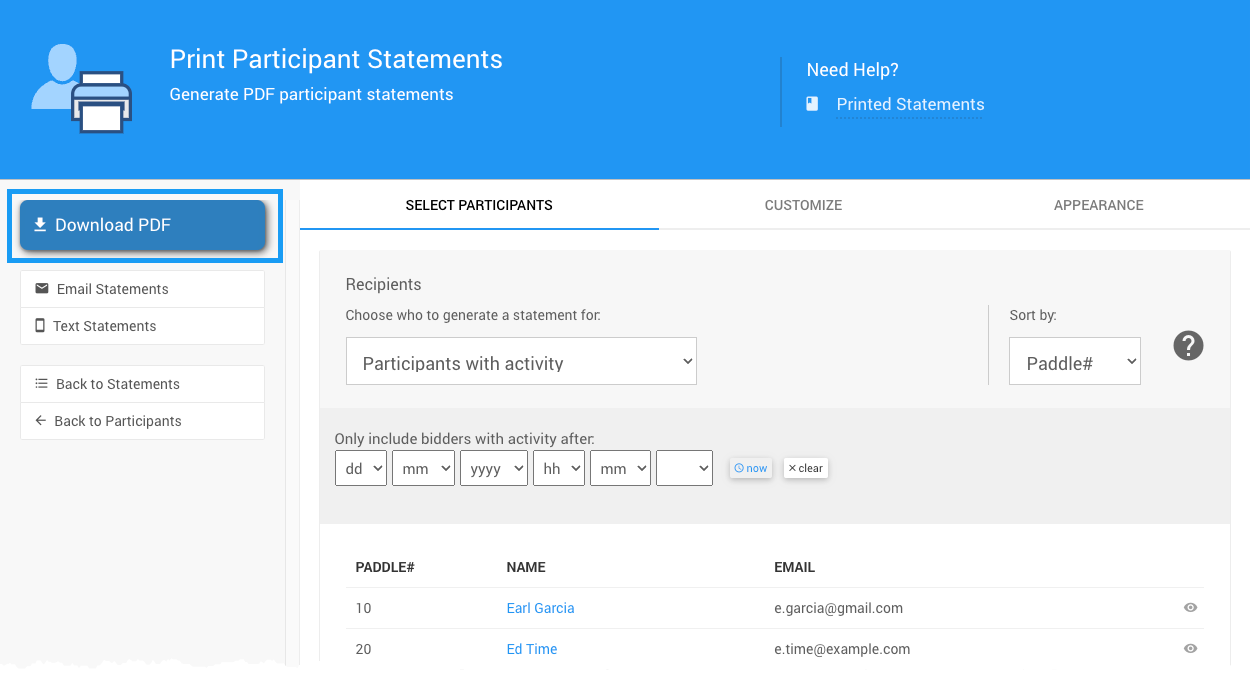
You will be prompted to save the file. After downloading, open the PDF and check the statements.
Ready to Print
Print and mail at your convenience.