
View and analyze all credit card transactions for your event with two comprehensive reports.
Available Reports
Credit Card Charges - Detailed list of every transaction
Credit Card Summary - Overview of total charges grouped by status and mode
Accessing Credit Card Reports
Option 1: From Credit Cards Page
- Go to Credit Cards (left sidebar, Set Up)
- Scroll to the Reports section
- Click the report you want to view
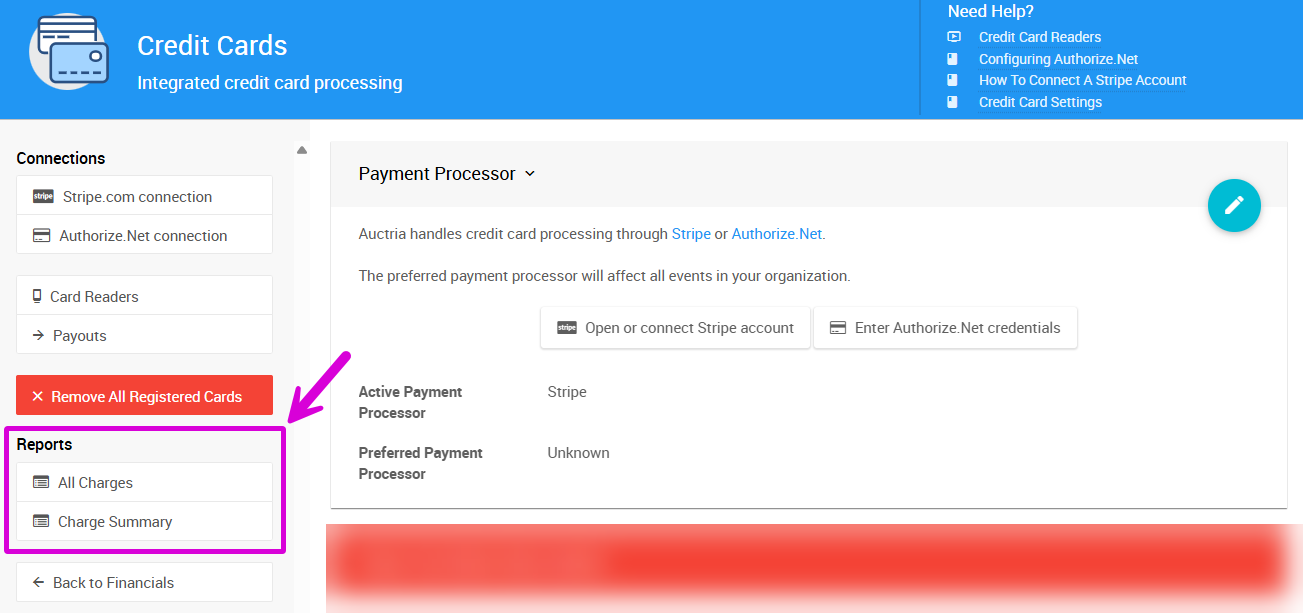
Option 2: From Reports Menu
- Go to Reports (left sidebar, Explore)
- Navigate to the Financial tab and look for Credit Cards
- Select your report
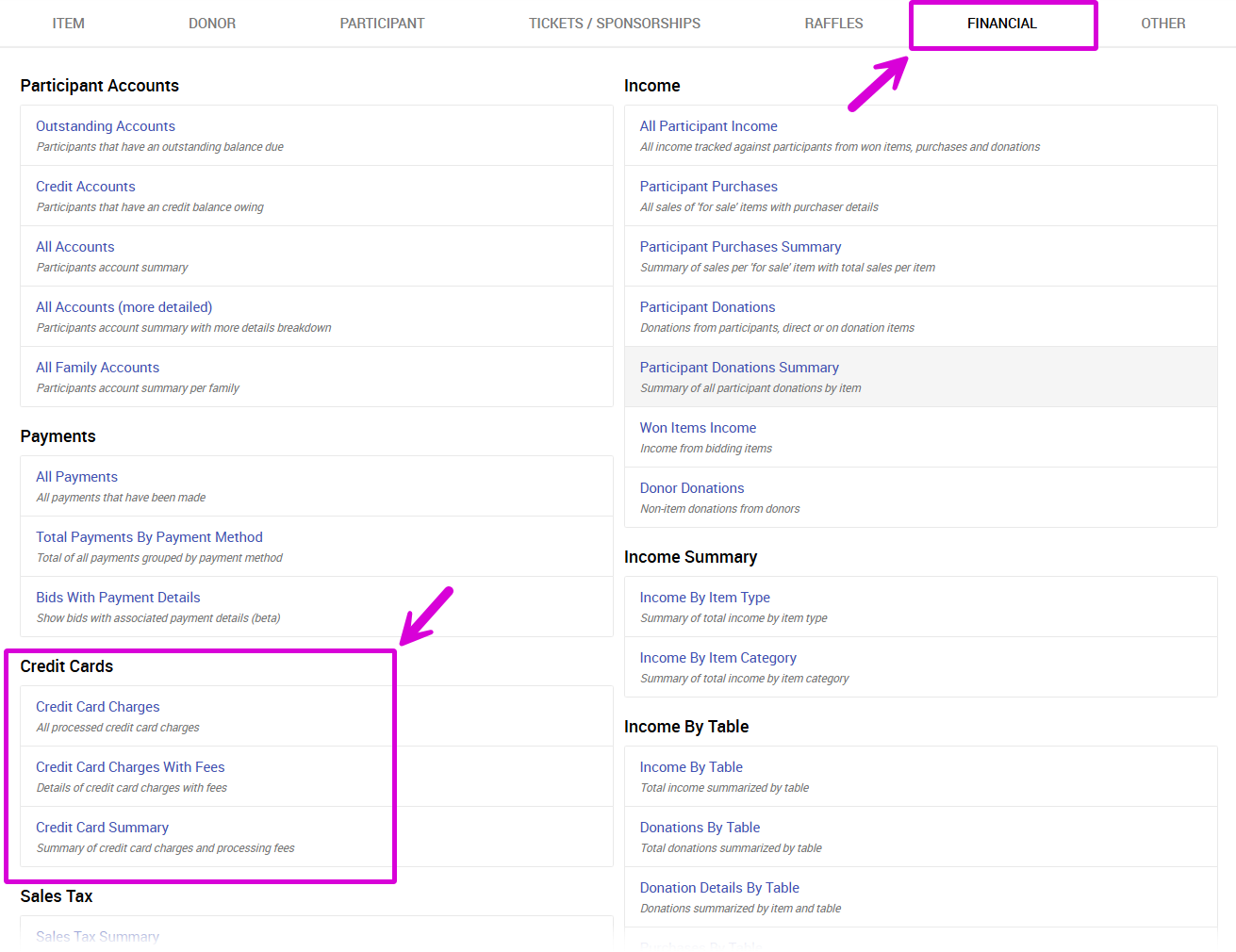
Credit Card Charges Report
This report shows a detailed row for each transaction, including:
- Transaction date and amount
- Participant information
- Payment status
- Processing mode (Live or Test)
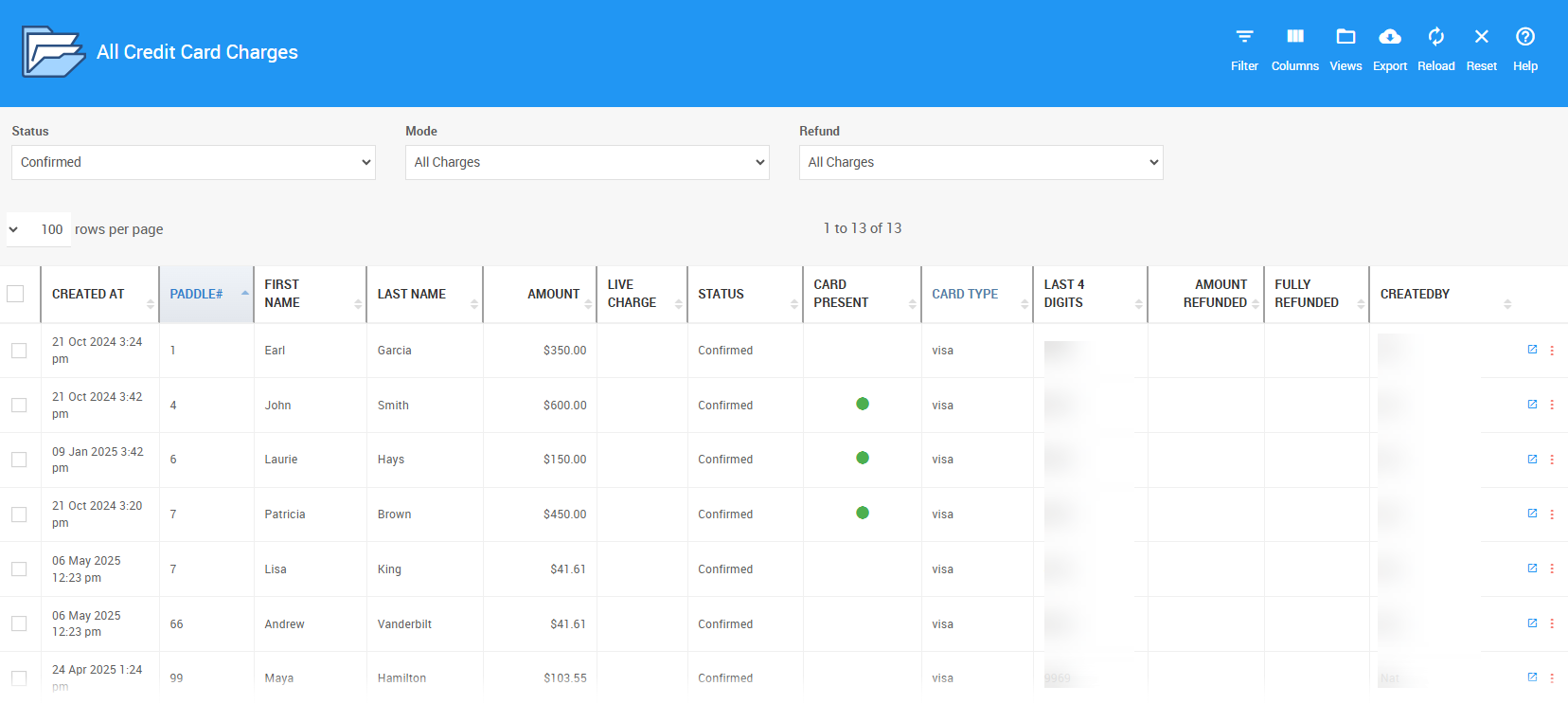
Example from a demonstration event
View Transaction Details
Double-click any row to see complete information about that charge.
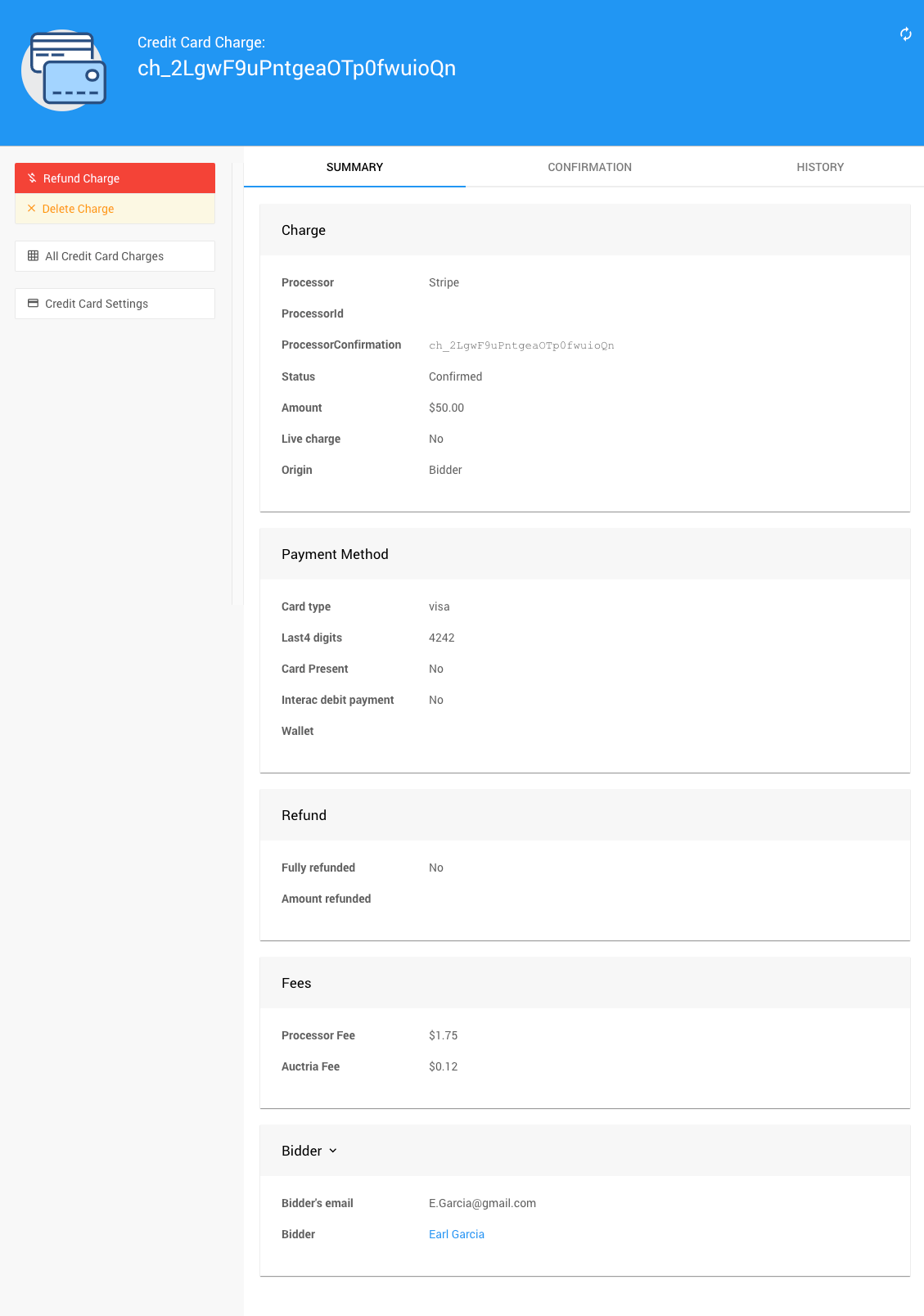
Example transaction details from a demonstration event
Credit Card Summary Report
This report provides a high-level overview of all charges, grouped by:
- Payment status (Successful, Failed, Pending)
- Processing mode (Live or Test)
Perfect for quickly seeing total revenue and identifying any issues at a glance.
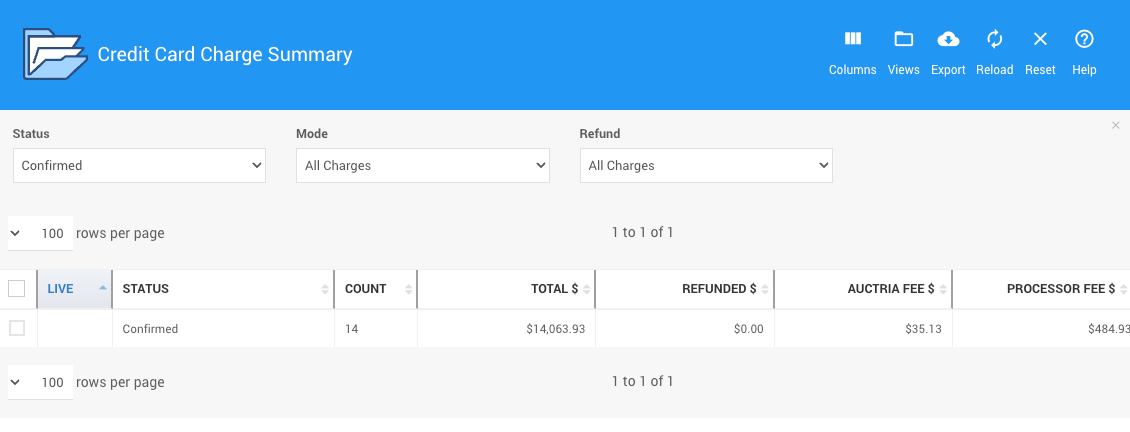
Example from a demonstration event
Exporting Reports
Download any report as a spreadsheet for further analysis or record-keeping:
- Click the Export icon in the report header
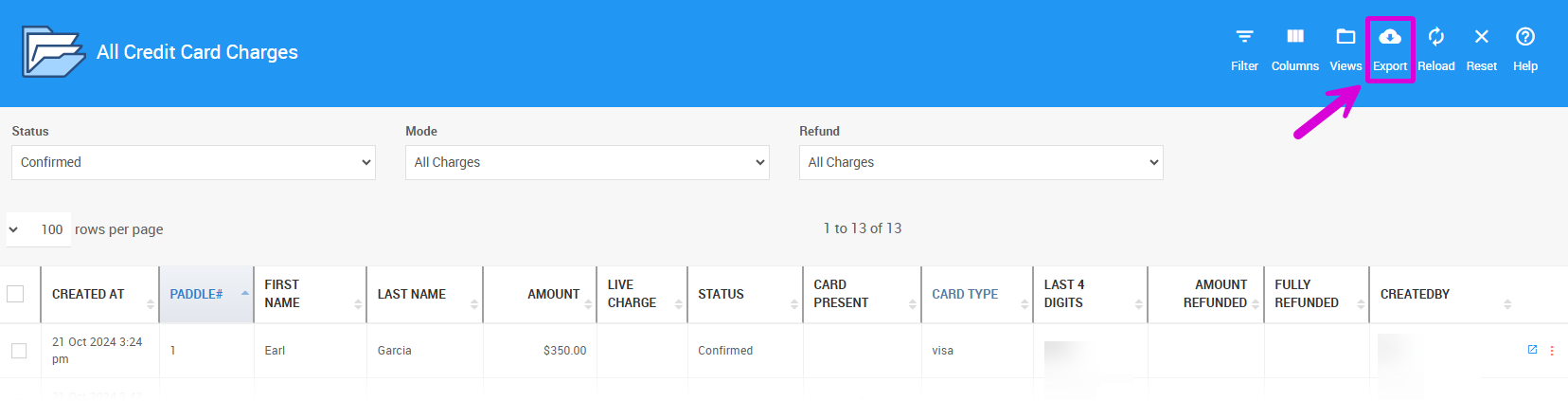
- Your browser will either prompt you to save the file or automatically save it to your downloads folder
Related Resources
- Export Stripe Data - Download detailed transaction data directly from Stripe
- Total Fees Paid - Calculate processing costs
- Canceled Charges - Handle refunded or canceled transactions