
Learn about the Catering dashboard, where you can update your event's meal choices and dietary restrictions settings.
🗺️ Getting Where You Need To Be
You can access the Catering dashboard by clicking Participants (left sidebar) Catering.
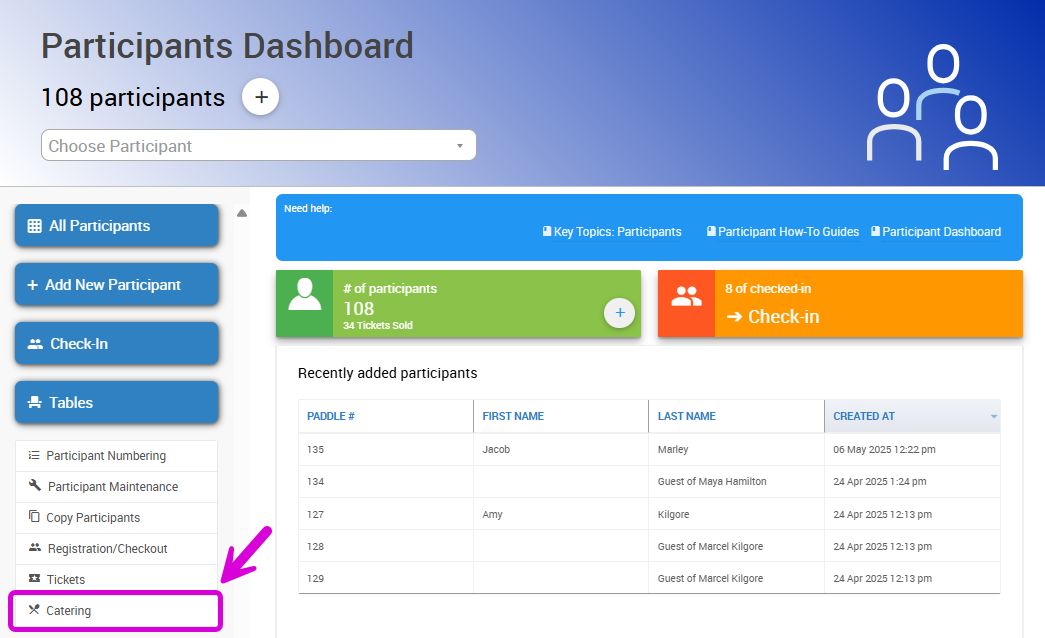
An example from a demonstration event.
This will open the Catering dashboard, where you can manage meal choices, enable dietary restrictions, set a meal change cut-off date, and download related reports.
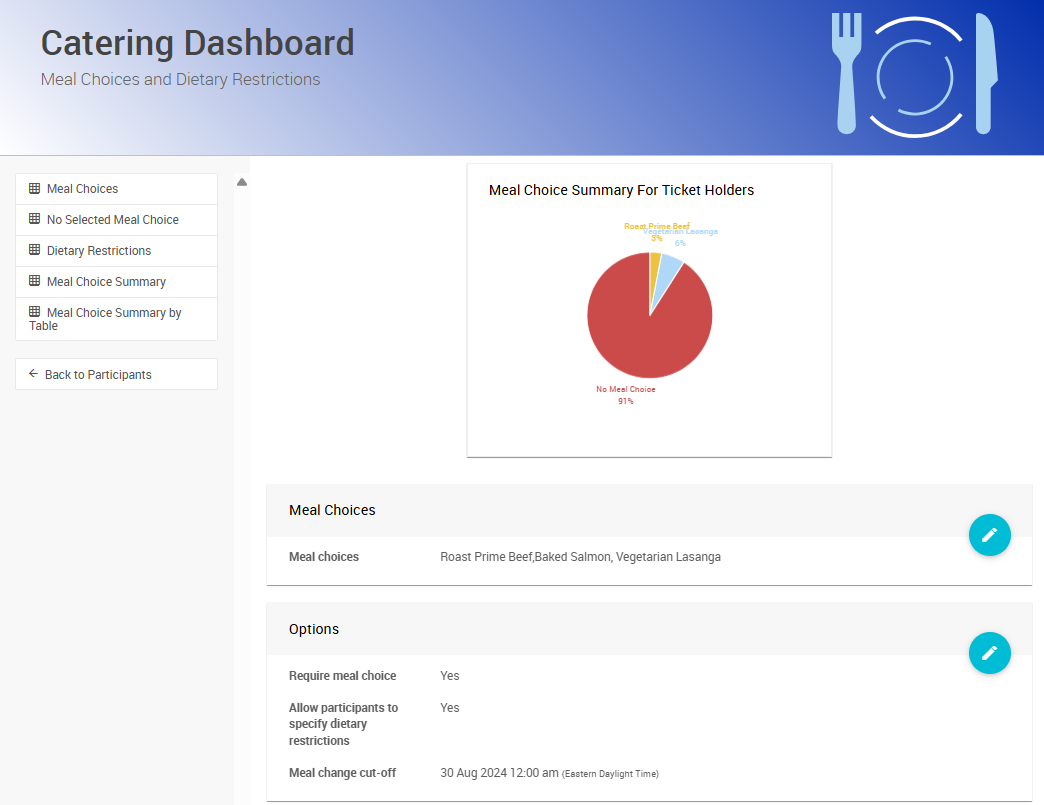
An example from a demonstration event.
➡️ See Meal Choices and Dietary Restrictions for more information about enabling meal choices and dietary restrictions for your event.
🍽️ Meal Choices
You can set Meal Choices for your guests in the Catering dashboard. Click the pencil icon on the right side of the Meal Choices section to edit the list.

An example of editing the Meal Choices section.
Enter the choices as a comma-separated list, then click the checkmark icon to save your changes.
💡 Example: If you enter the list Roast Prime Beef,Baked Salmon,Vegetarian Lasagna, your guests will see Roast Prime Beef, Baked Salmon, and Vegetarian Lasagna as meal options in a dropdown menu when they are purchasing a ticket.
⚙️ Options
The Options setting lets you make meal choices required during a ticket purchase, enable the Dietary Restrictions field during ticket purchase, and set a meal change cut-off date.
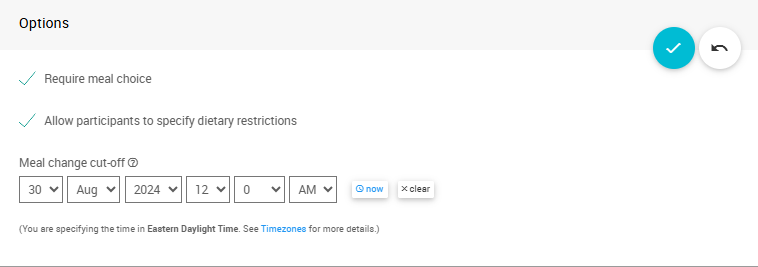
An example of editing the Options section.
To edit the section, click the pencil icon on the right. You can save your changes by clicking the checkmark icon.
📊 Catering Reports
You can download a number of reports from the left sidebar of the Catering Dashboard:
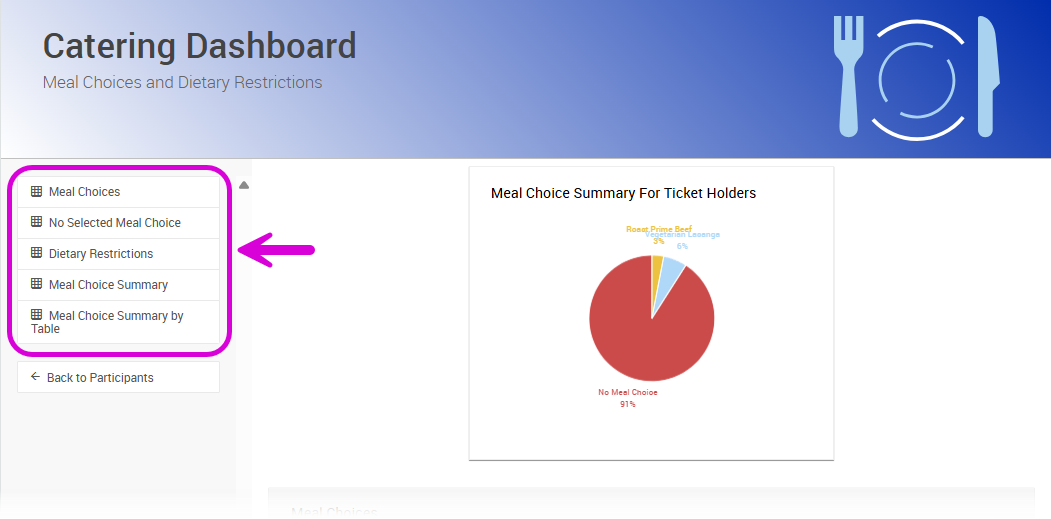
An example of catering reports available on the sidebar.
- Meal Choices: This report shows meal choices for everyone assigned a Ticket in your event.
- No Selected Meal Choice: This report returns ticketholders who have not yet selected a meal choice.
- Dietary Restrictions: This report shows dietary restrictions by ticketholder.
- Meal Choice Summary: This report shows a total count of each meal choice, or blank meal choice field.
- Meal Choice Summary By Table: This report shows the total count of each guest's meal choice, grouped by Tables at your event.