
The Bidding Dashboard provides access to record all biddable auction items.
The Bidding Dashboard, with its user-friendly interface, can be easily accessed by clicking on the Actions Bidding entry in the left sidebar of the main event dashboard.
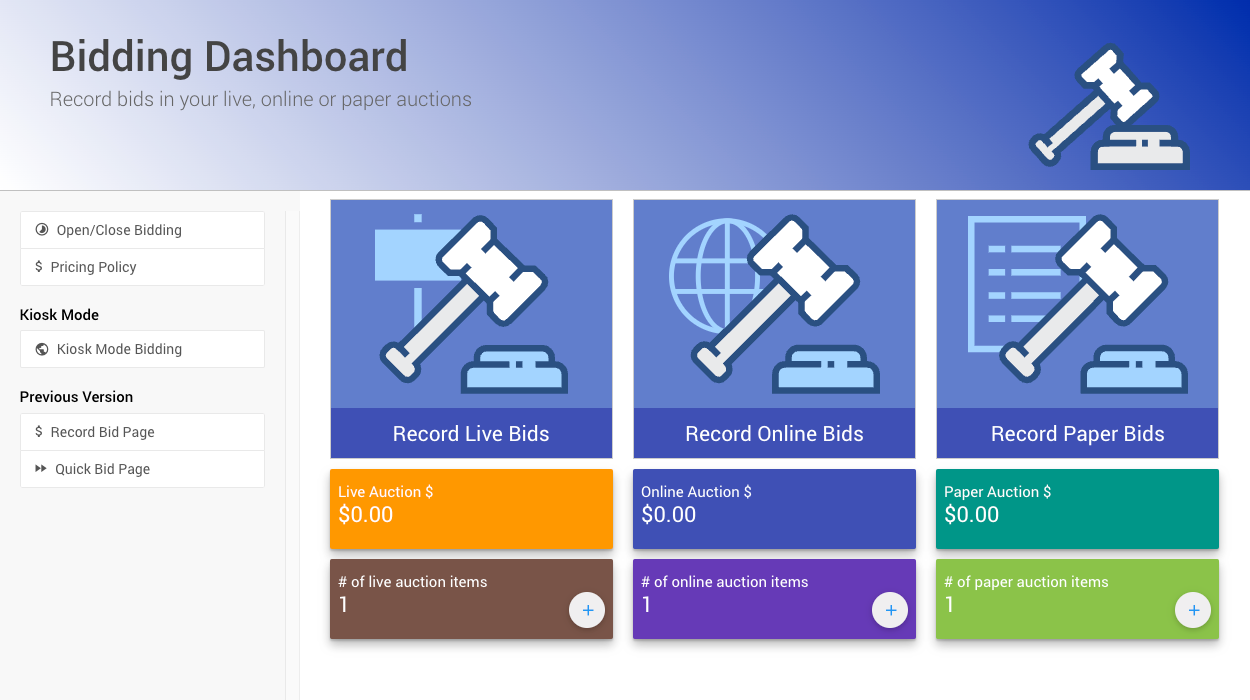
An example from a demonstration event.
The Bidding Dashboard is designed for your convenience. It displays a summary view of your event, including the number of Biddable Type Items and the total value of the winning bids placed.
Biddable Items are item types that participants can place bids on. Auctria supports three biddable item types:
| Item Type | Description |
|---|---|
| Online Bidding | Bids are placed electronically. Bidding closes automatically at the end of the configured Online Bidding Time. |
| Paper Bidding | Final bids are recorded from paper bid sheets. Items can accept online pre-event bids but will not close automatically by default. |
| Live Bidding | Items auctioned in person, typically led by an auctioneer or emcee. Final bids are recorded manually at the event. |
See Item Types for more information.
Clicking on the dashboard blocks will take you to the respective record-keeping page. There, you can access all of the biddable item types Auctria supports.
You can also access the Open/Close Bidding, Pricing Policy, and Kiosk Mode Bidding pages. This will allow you to manage the bidding process by opening or closing it, making globally calculated price updates, and creating or managing your Kiosk Mode website.
For those who prefer the older views, links to them are still available in the sidebar under the "Previous Versions" heading.