
View and pay credit card processing fees.
What Is Auctria Balance?
When you process credit card payments through certain payment processors, there may be a processing fee for each transaction. The Auctria Balance page shows these fees and lets you pay any outstanding amounts.
How it works with different processors:
- Authorize.Net: Processing fees accumulate in your Auctria Balance and are paid separately through this page
- Stripe: Fees are automatically deducted from each transaction, so your Auctria Balance will always show as zero
Stripe Fees are Automatically Deducted
If you use a payment processor where fees are automatically deducted (like Stripe), you won't need to use this page. Your balance will remain at zero.
Viewing Your Balance
To check your current balance:
- From the main Auctria Dashboard, click Organizations in the sidebar
- Click Auctria Balance in the Organization sidebar
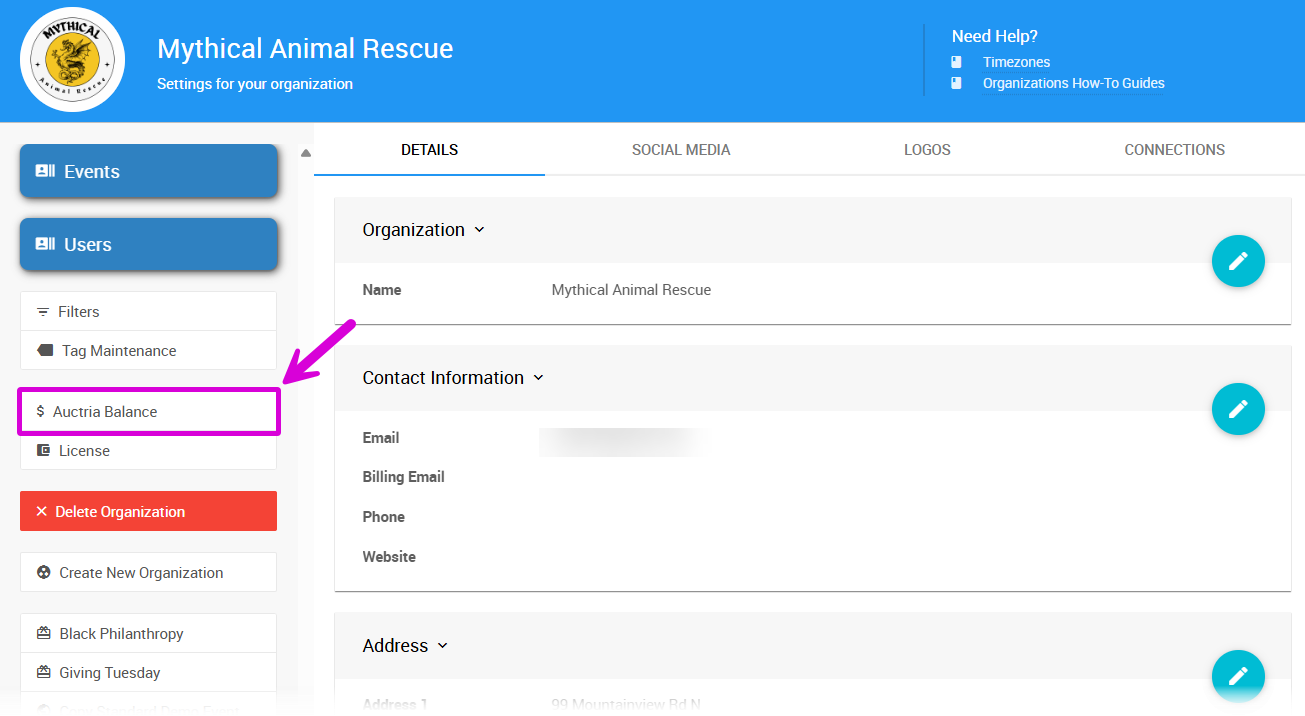
An example Auctria Balance page.
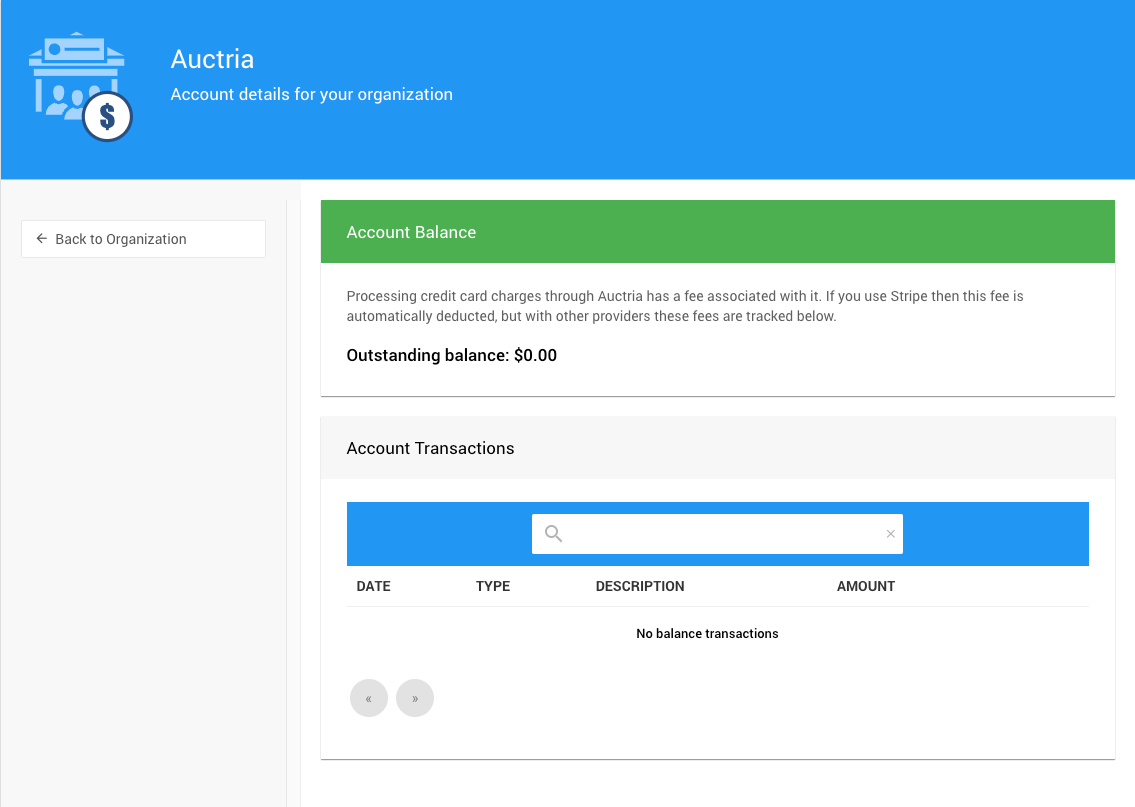
The page will show:
- Your current balance (if any)
- A history of fees from credit card transactions
Paying Your Balance
If you have an outstanding balance, you'll see a Pay Now button in the sidebar.
Clicking Pay Now takes you to Auctria's secure online payment page where you can settle your balance.
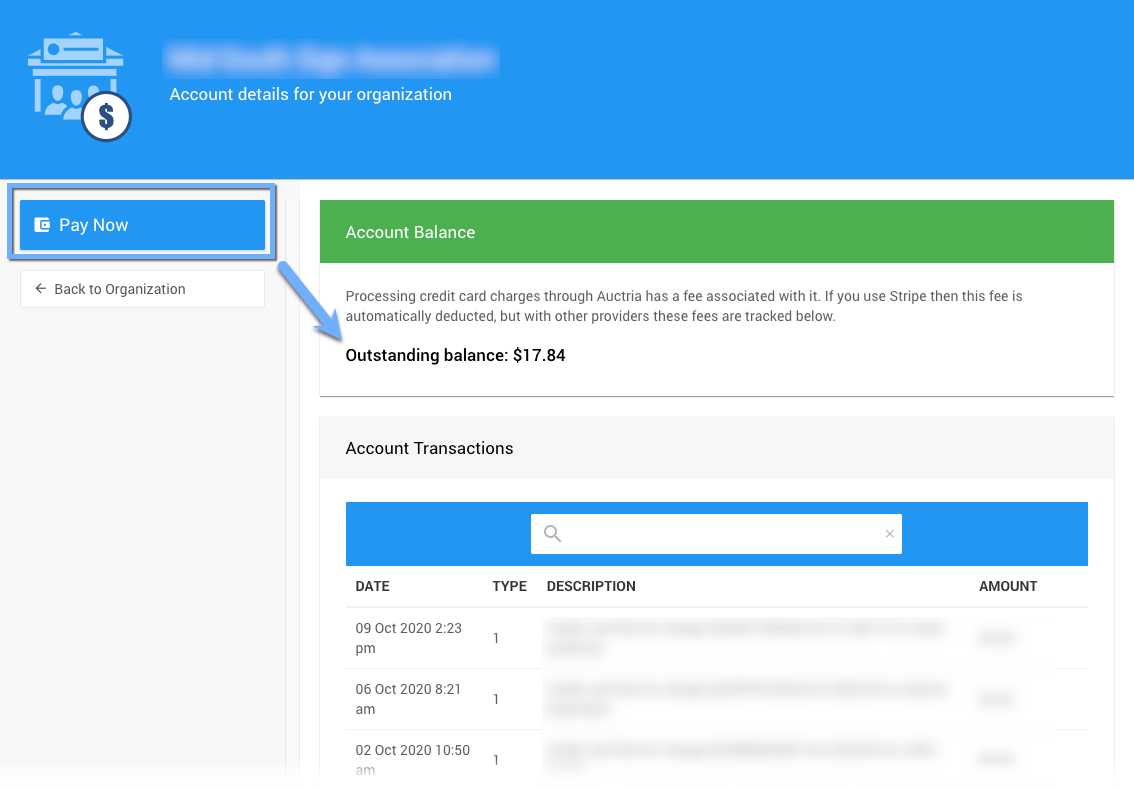
The payment page for settling your balance.