
An overview of the column content elements available in the Website Editor.
Column content elements are placed inside columns and make up the visible content that guests see and interact with — text, images, buttons, countdown timers, and more. Elements fall into two categories: Basic Content and Rich Content.
Column content elements are listed in the Column Content section of the Website Editor Sidebar. The most commonly used elements appear directly in the sidebar.
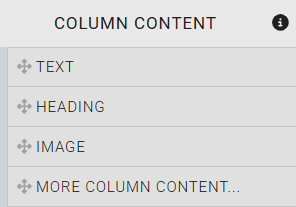
The Column Content options listed in the Website Editor sidebar.
To browse all available elements, drag the More Column Content option into a column on the page to open the Choose Content window.
Basic Content
Basic Content elements are individual, purpose-built components. Each element handles a specific type of content and is self-contained.
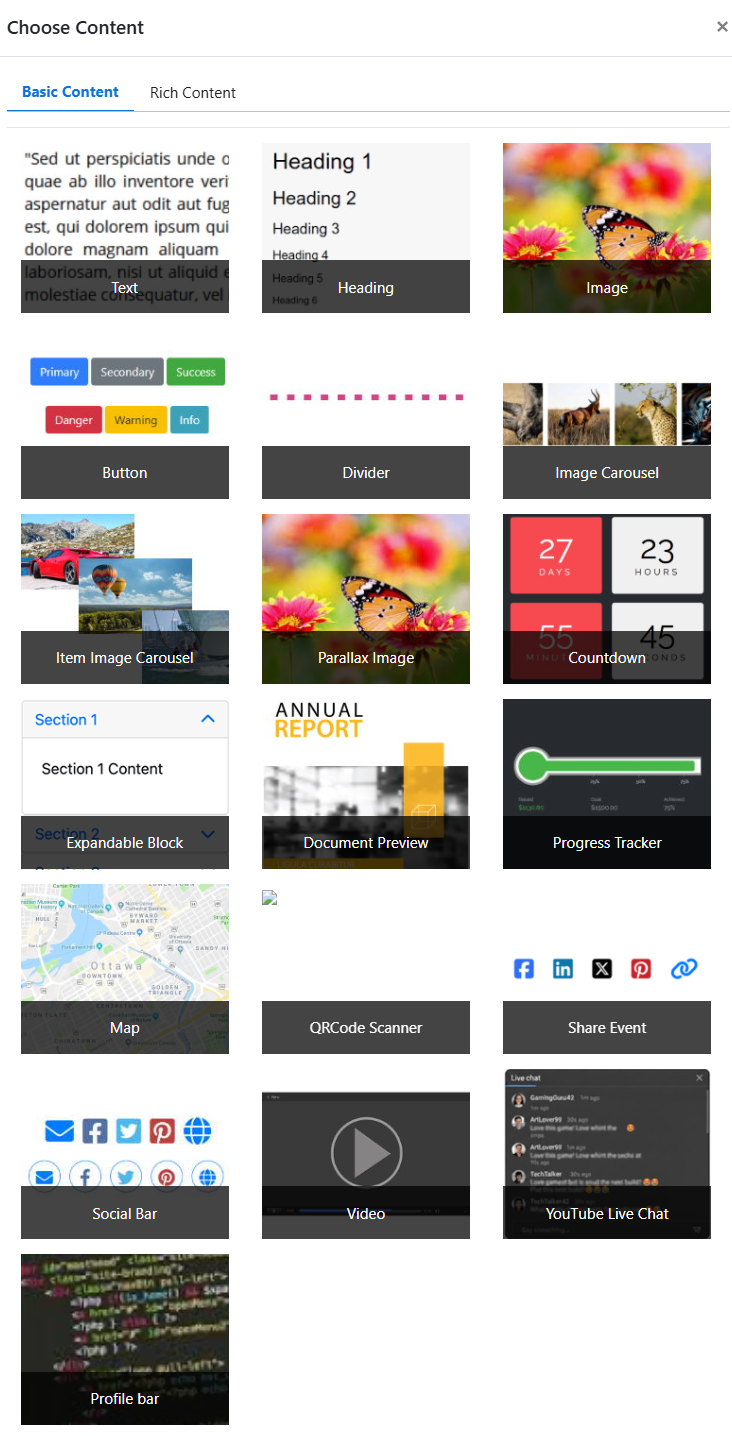
The Choose Content window showing available Basic Content elements.
| Element | Description |
|---|---|
| Text | A standard text block for paragraphs and general page copy. Supports rich text formatting. |
| Heading | A styled heading for page sections or introductory text. |
| Image | Displays a single image with options for linking, captions, and alignment. |
| Button | A clickable button that can link to a page, external URL, or specific action. |
| Divider | A horizontal line for visually separating content within a column. |
| Image Carousel | Displays a rotating carousel of uploaded images. |
| Item Image Carousel | Displays auction item images in a rotating carousel. |
| Parallax Image | A full-width image that scrolls at a different rate than the page, creating a depth effect. |
| Countdown | A live countdown timer to the event date or another specified time. |
| Expandable Block | A collapsible content block that guests can expand or collapse to reveal additional information. |
| Document Preview | Embeds a preview of an uploaded document, such as a program or sponsor sheet. |
| Progress Tracker | A visual progress bar showing fundraising goal progress. |
| Map | Displays a map to a specified location, typically used for venue information. |
| QR Code Scanner | Displays a QR code guests can scan to access the event website or a specific page on their mobile device. This page is only viewable on mobile devices or tablets. |
| Share Event | Social sharing buttons so guests can share the event on social media. |
| Social Bar | A row of social media profile links for your organization. |
| Video | Embeds an externally hosted video from Vimeo or YouTube. |
| YouTube Live Chat | Embeds a YouTube live chat stream alongside event content. |
| Profile Bar | A horizontal bar displaying an individual's photo, name, and bio. |
Rich Content
Rich Content elements are pre-configured multi-element blocks designed for specific visual layouts. When inserted, a rich content element adds a fully structured arrangement of rows and columns that you can customize.
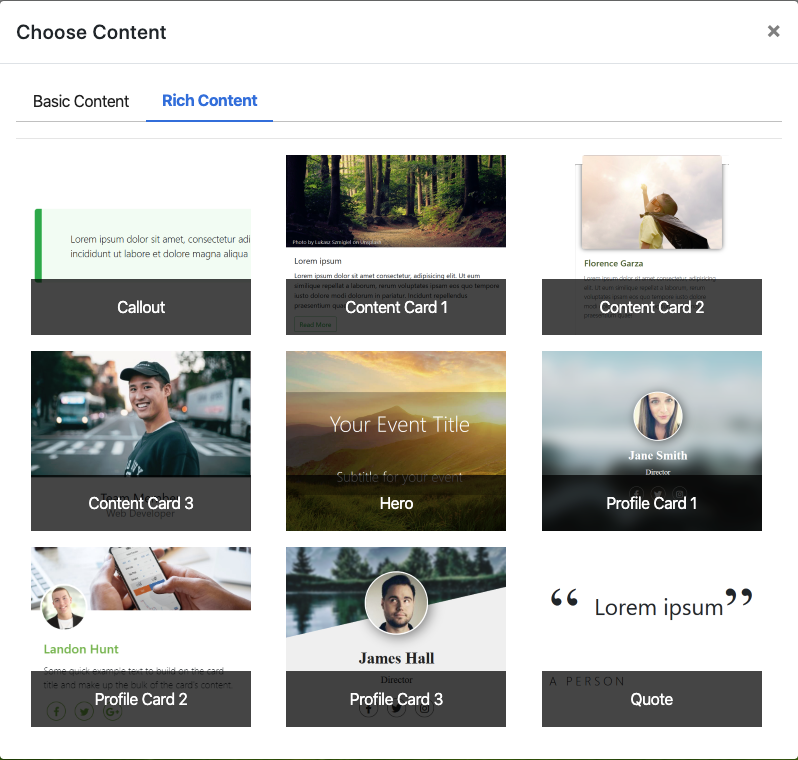
The Choose Content window showing available Rich Content elements.
Rich Content elements
Rich Content is treated as a single element even though it contains multiple rows and content blocks internally. Each block within the Rich Content can still be edited independently after insertion.
| Element | Description |
|---|---|
| Callout | A pre-configured styled block for highlighting important information or announcements. |
| Content Cards | A pre-configured card layout available in single, double, and triple card arrangements for displaying featured items, people, or information. |
| Hero | A full-width banner with a background image and overlaid text. Typically used at the top of a page. |
| Profile Cards | A pre-configured profile card layout available in single, double, and triple arrangements, each showing a photo, name, and description. |
| Quote | A pre-configured styled pull quote or testimonial block. |