
Learn how to set and reset the home page for your event website.
Setting a specific page as the home page for your event website is done through the Website Pages window. To open it, click Manage Pages in the Website Editor Sidebar.
Setting the Home Page
The current home page is marked with a house icon beside its Actions button.
To set a different page as the home page, click the Actions button beside the page you want to use. Select Make Homepage from the menu.
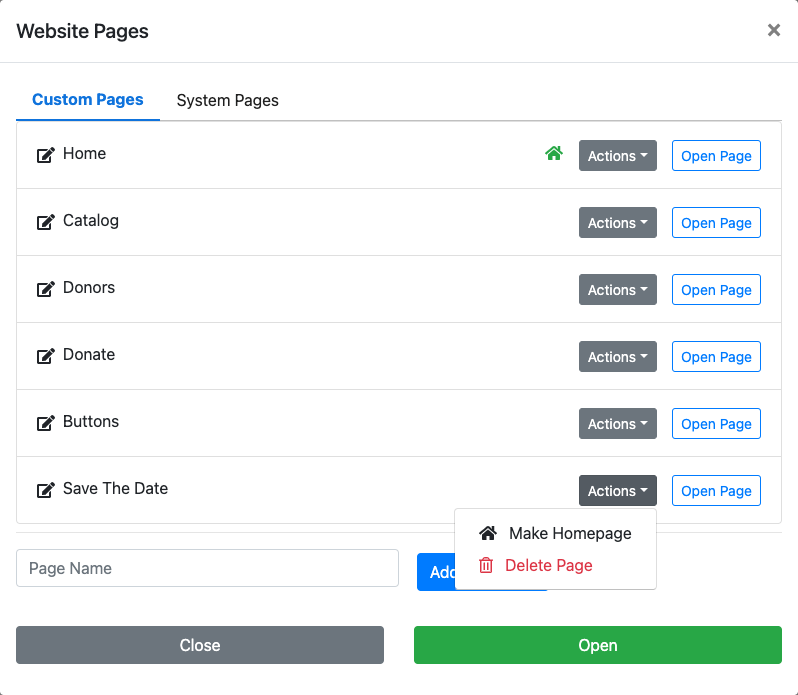
An example from a demonstration event.
The house icon will move to the new home page. Click Close to close the window — your event website will now open on this page when visitors follow your website address.
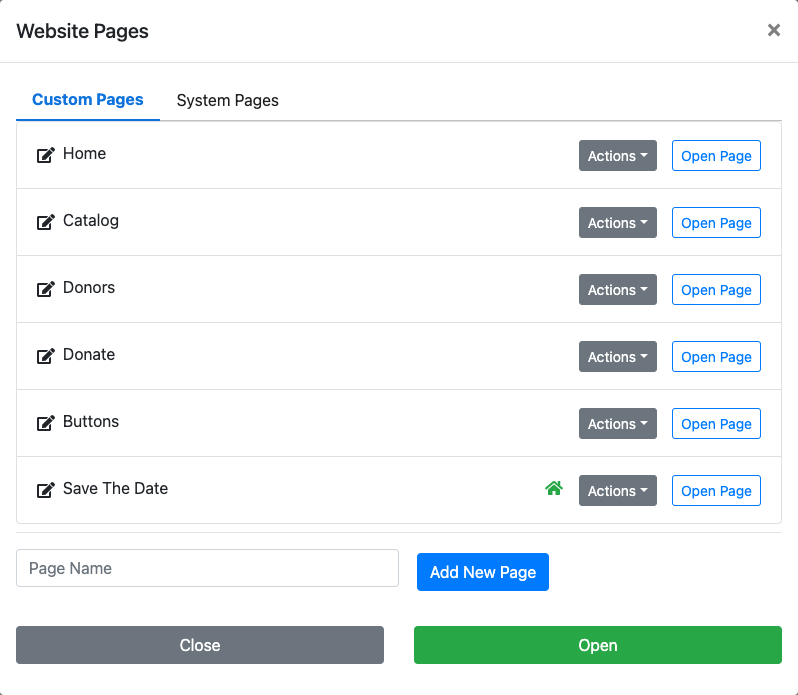
An example from a demonstration event.
Resetting the Home Page
To revert to a previous home page, follow the same steps above: open the Website Pages window, click Actions beside the page you want to restore as the home page, and select Make Homepage.