
Learn how to display a rotating carousel of item images on your event website using the Item Image Carousel element.
The Item Image Carousel element displays a rotating slideshow of images pulled from your event items. Unlike the Image Carousel, which uses manually uploaded images, this element sources its images automatically based on item conditions you configure.
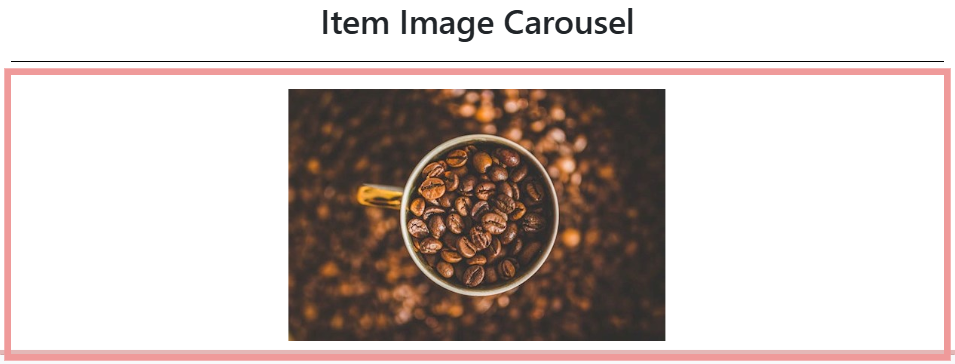
An example of the Item Image Carousel element on an event website in Edit mode.
Adding an Item Image Carousel to a page
Drag the Item Image Carousel element from the Website Editor Sidebar into a column space.
Item Image Carousel Settings
Clicking an Item Image Carousel element opens its settings panel in the Website Editor Sidebar.
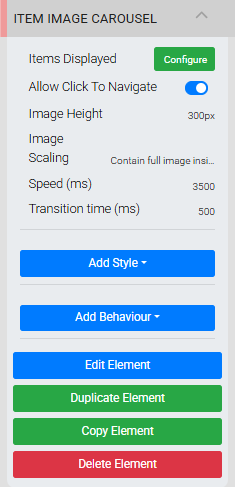
The Item Image Carousel settings panel in the Editor sidebar.
| Setting | Description |
|---|---|
| Items Displayed | Clicking Configure opens the same conditions interface as Configure Items Displayed, where you set which items' images appear in the carousel. |
| Allow Click To Navigate | When enabled, clicking an image navigates to that item's details page. |
| Image Height | Sets the overall height of the carousel. Default is 300px. |
| Image Scaling | Controls how images fit the carousel. Contain full image inside (default) reduces the image as needed to fit without cropping. Enlarge image to cover expands the image to fill the height container. |
| Speed (ms) | Sets how long each image is displayed before advancing, in milliseconds. Default is 3500 (3.5 seconds). |
| Transition time (ms) | Sets the duration of the fade transition between images, in milliseconds. Default is 500 (0.5 seconds). |
Page refresh after saving
In some cases, a page refresh may be required after saving changes for them to take effect.
See Common Element Actions for more details on managing the Item Image Carousel element.