
Learn how to set up Peer-to-Peer style fundraising in Auctria using Donation Items.
Peer-to-Peer (P2P) fundraising lets supporters collect donations on behalf of your event — often through teams or individual ambassadors who share their own fundraising pages with their networks.
In Auctria, you can set up P2P-style fundraising by creating a dedicated Donation Item for each person or team. Each item can be shared directly with donors and tracked individually inside Auctria.
We recommend using the Donation Element on your event website in its Donation Items Mode to display and track contributions tied to specific participants or teams.
Use Donation Items Mode for P2P Tracking
The Donation element's Cash Donation Mode does not provide participant-level tracking and is not suitable for P2P fundraising. Use Donation Items Mode to ensure contributions are tracked per person or team.
How It Works
Each team or participant gets their own Donation Item. Supporters donate directly through that item's page on your event website, and you can track totals per person or team inside Auctria. Names, descriptions, images, and fundraising goals can all be customized to help donors quickly understand who or what they're supporting.
Example Setup
Imagine you're running a fundraising drive for your local library, with several Team Captains competing to raise the most money. You might create Donation Items such as:
- Team Fox – Biography Lovers
- Team Koala – Cooking Crew
- Team Giraffe – Sci-Fi Squad
Each Donation Item has a custom description, a unique item number, and any relevant details you want to highlight.
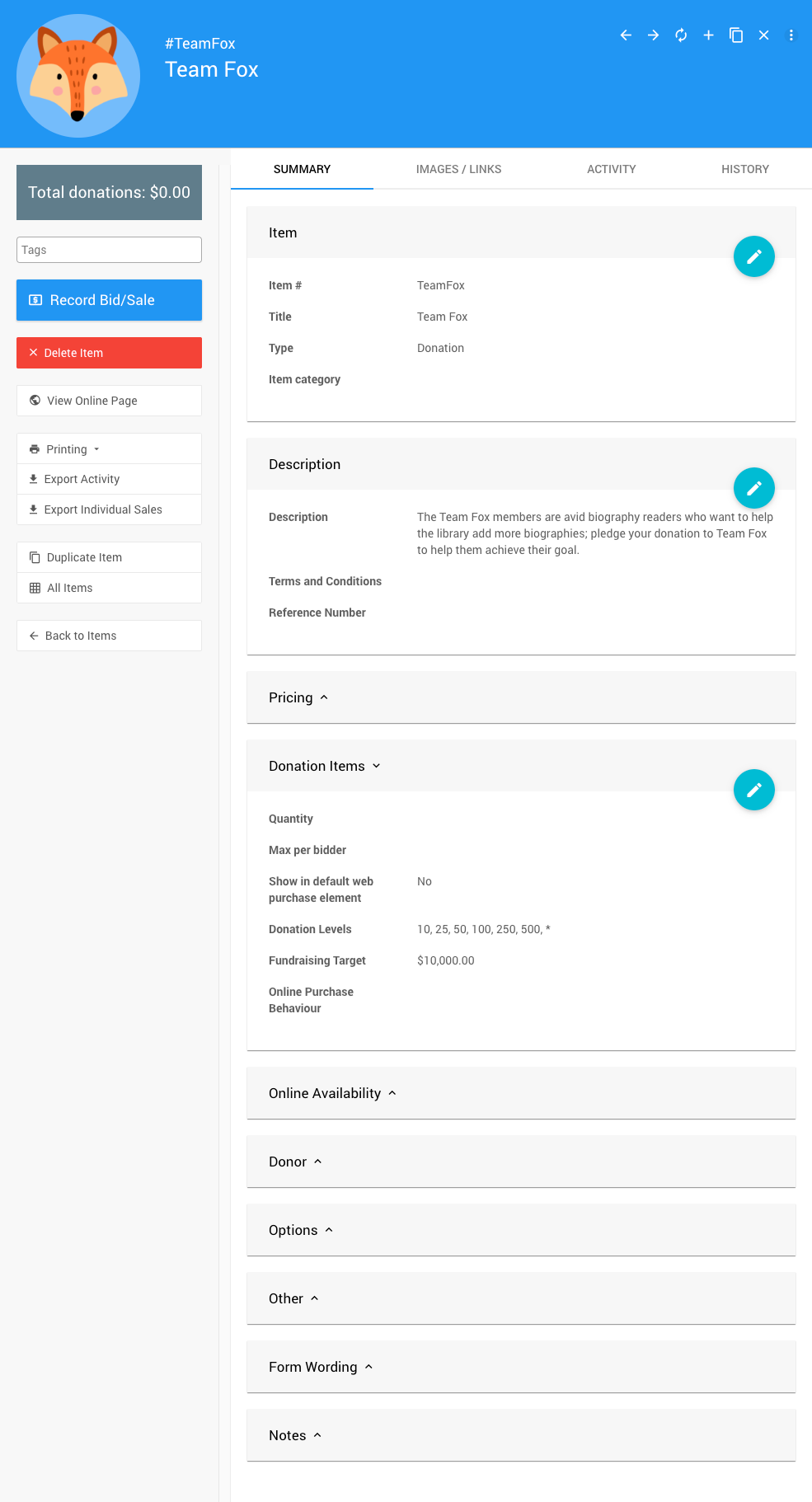
An example Donation Item configured for a team with a custom Item #.
Team Captains can share their item page link directly with supporters. Using a custom item number — for example, TeamFox — makes the URL easy to remember and share on social media or in emails.
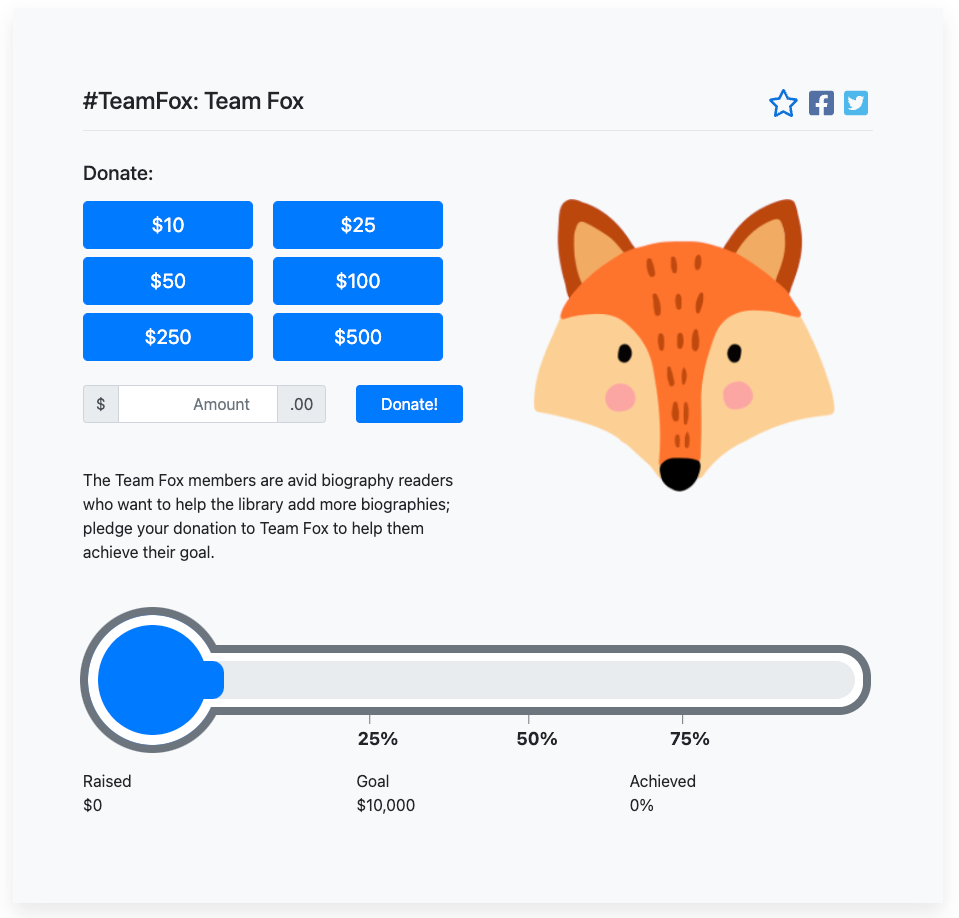
A sample public item page for a team's fundraising effort.
Custom Item Numbers Make Sharing Easier
You can use the automatically assigned item number, but a custom item number makes it much easier for teams to promote their pages and for supporters to find them directly.
You can also display all teams together on your event website so supporters can browse and choose who they want to support.
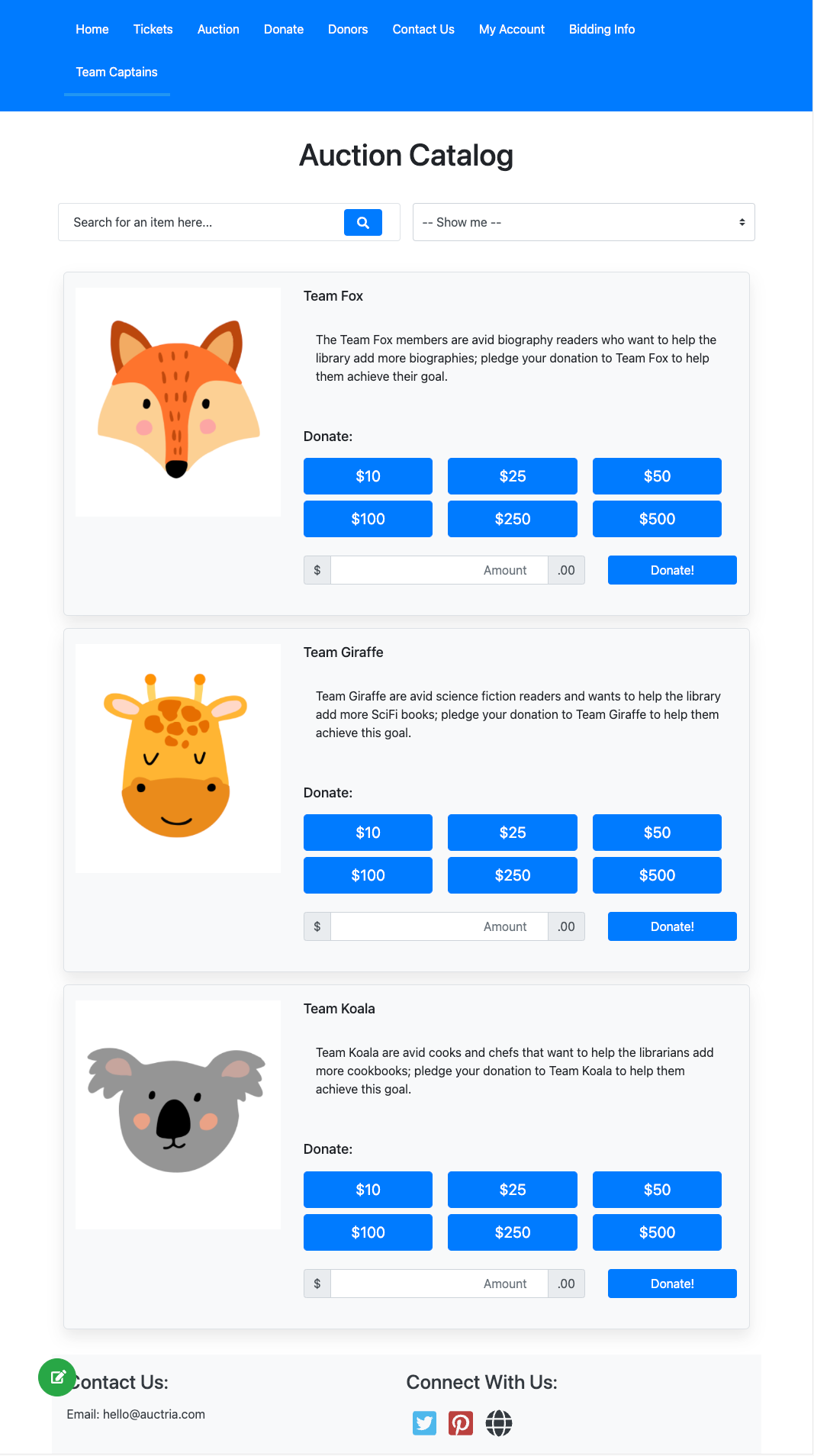
An example of a website section displaying all team fundraising pages together.
Tips and Ideas
- Add Profile Cards to your website to showcase team captains or participants, with each card linking directly to the team's Donation Item page.
- Use the Donate An Item form to let supporters sign themselves up as new Team Captains.