
An overview of how to enable Meal Choices and the Dietary Restrictions field on your Tickets.
Auctria can help you gather meal choices and dietary needs from your guests right when they purchase a ticket — whether it's a specific entrée choice, a vegan option, or a note about food allergies.
Getting Where You Need To Be
To access meal choice settings:
- Click Settings on the left sidebar of your Auctria dashboard.
- Type
meal choiceinto the search bar. - Select Meal Choice Settings from the results.
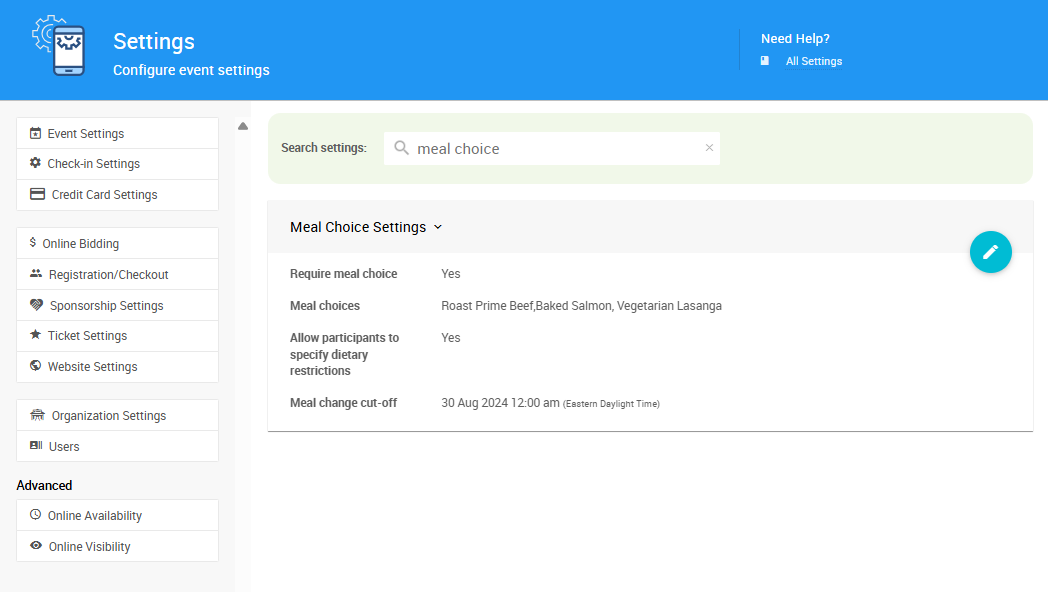
An example from a demonstration event.
Tip
Click the pencil icon to edit the Meal Choice Settings section.
Catering Dashboard
You can also access meal choice settings through the Catering dashboard. Click Participants (left sidebar) → Catering.
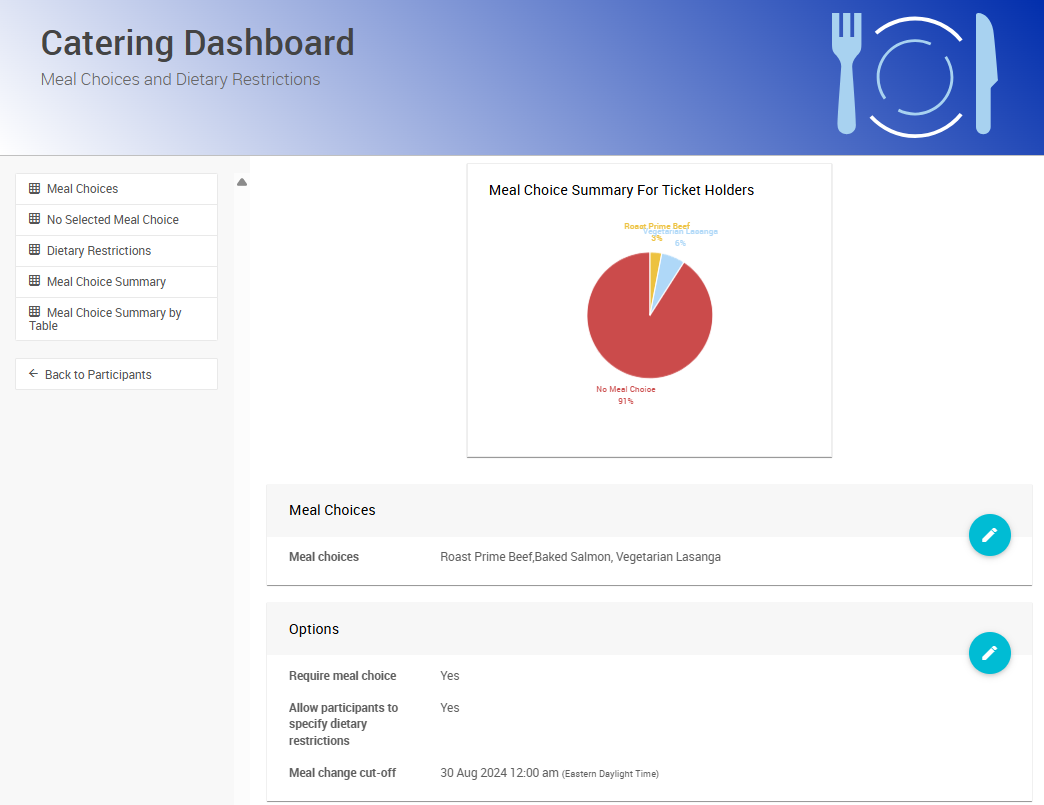
An example Catering Dashboard from a demonstration event.
See Catering Dashboard for more details.
Meal Choice Settings
In Meal Choice Settings, you can set your event's meal options and enable a field for guests to provide dietary restrictions.
| Field | Description |
|---|---|
| Require meal choice | When checked, guests must pick a meal before completing their admission ticket purchase. |
| Meal choices | A comma-separated list of meal options, e.g., Beef,Chicken,Vegetarian,Gluten-Free. These appear in a drop-down menu during checkout. |
| Allow participants to specify dietary restrictions | When checked, adds a text field during ticket purchase where guests can note food allergies, dietary needs, or anything else the caterer should know. |
| Meal change cut-off | A date and time after which guests can no longer change their meal selection. Useful for finalizing catering counts ahead of the event. |
Website View (Guest Experience)
Enabling Meal Choices and Dietary Restrictions lets guests purchasing tickets on your event website set their preferences during checkout.
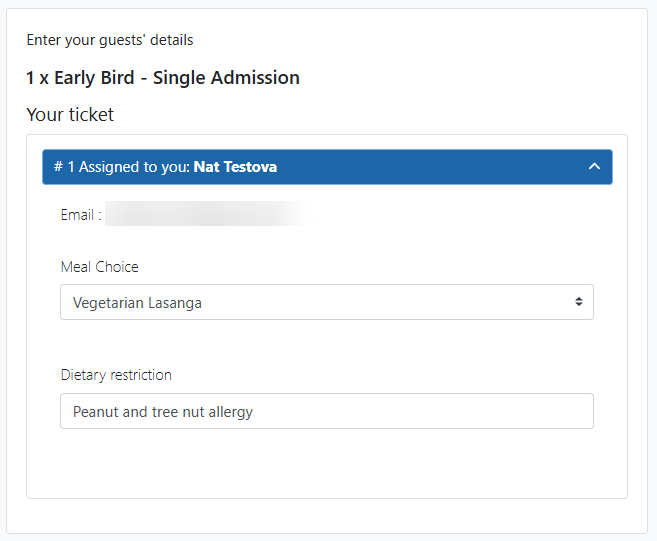
An example from a demonstration event.
A Meal Choice drop-down and a Dietary Restriction text field appear on the Guests step of checkout, if enabled.