
Learn how kiosk mode works for bidders — including how to place bids using a shared device at your event using just your paddle number.
Kiosk mode lets event organizers set up shared tablets or laptops at your venue that any bidder can use to browse and bid on items — no sign-in required. Think of it as an electronic bid sheet: bidders simply enter their paddle number and a bid amount, the same way they would fill out a paper bid sheet.
Using Kiosk Mode Bidding
The kiosk device displays the event's item catalog. When a bidder taps on an item (and online bidding is open), they see a simple bidding form — no password, no account required.
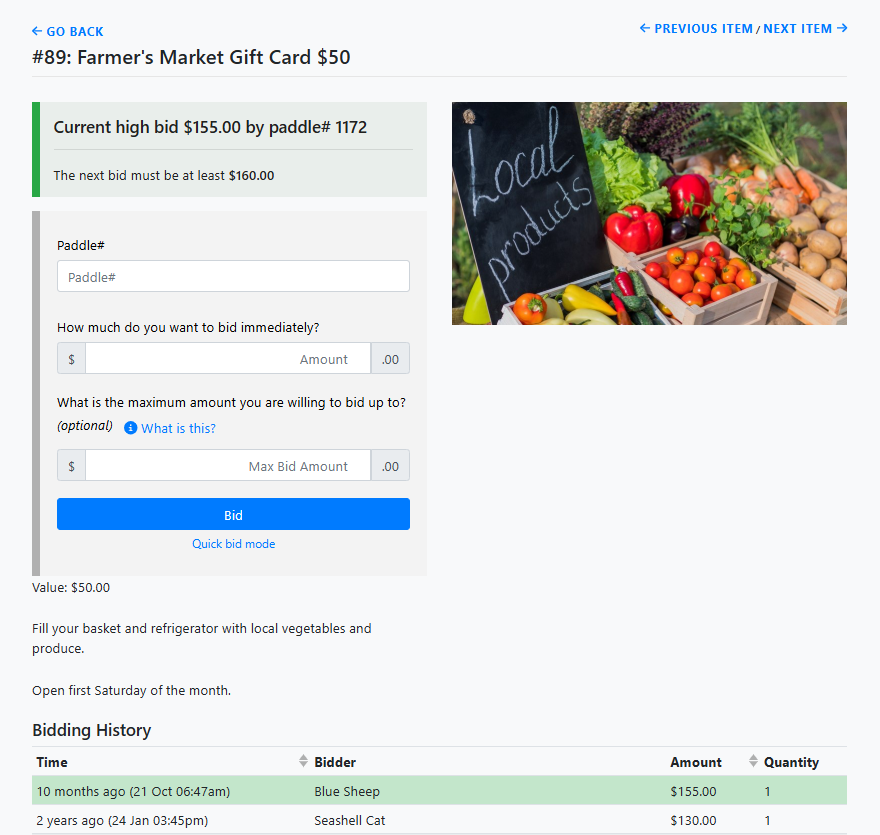
An example Item Details page displayed from a Kiosk Mode Auction Catalog.
The bidder enters their Paddle# and a Max Bid Amount, then clicks Bid. See Maximum Bidding for details on how maximum bidding works.
This makes it easy for bidders to walk up to the device, find an item, and place a bid quickly before returning to the event.
Outbid notifications still apply
If an email address or mobile number is on file for the paddle number, the bidder will still receive outbid notifications by email or text — even when bidding from a kiosk. See System Notifications for more information.
See Kiosk Mode Bidding Setup for details on how organizers set up and configure kiosk mode.