
Learn how to Send Custom Emails to your participants and donors using the Send Custom Email feature available to Auctria subscribers.
Available on Emerald and Diamond Licenses
Sending Custom Emails is only available on Emerald and Diamond Auctria licenses.
Before you send, make sure your Custom Email is ready. Preview it to check that it says what you want. You can send it to your Participants or your Item Donors. You can't send to both groups at the same time.
Step 1: Open the Custom Email Manager
If you're not already on the Custom Email Manager page, go to your main Event Dashboard and click Communication → Custom Emails.
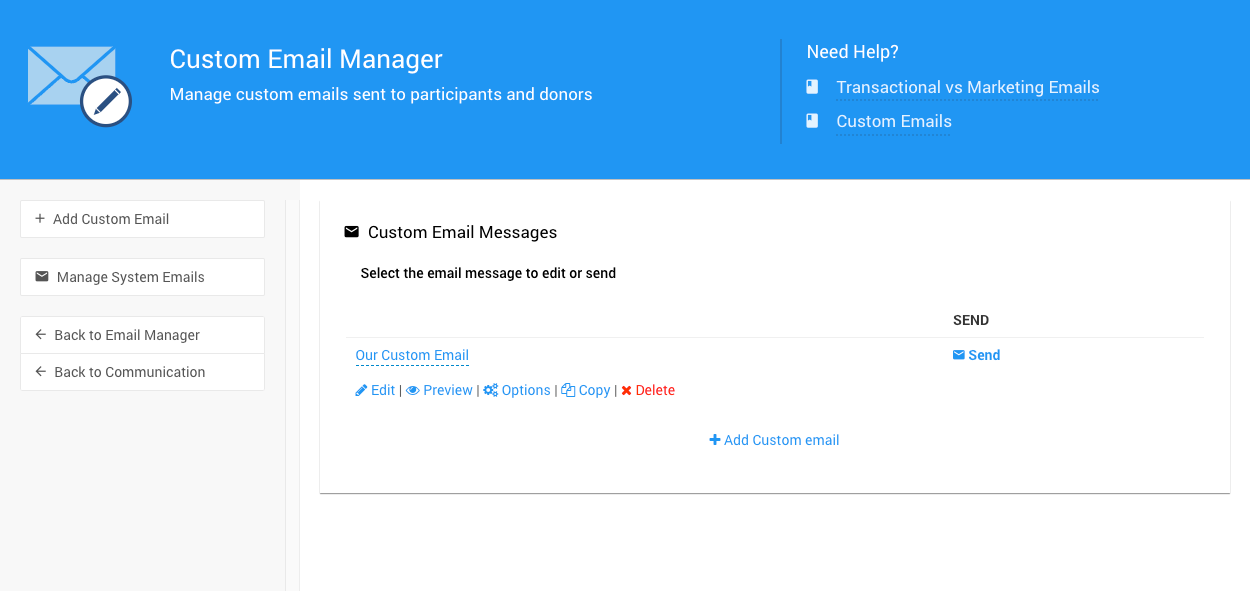
The Custom Email Manager page from a demonstration event.
Step 2: Send the Email
Find the email you want to send and click the Send link at the far right.
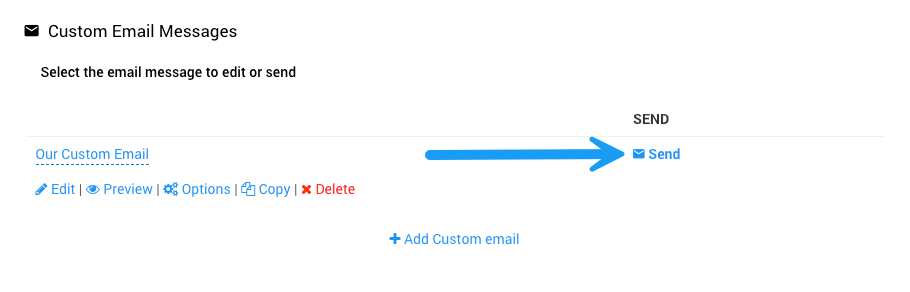
The Send link on the Custom Email Manager page from a demonstration event.
A window opens where you choose who receives the email.
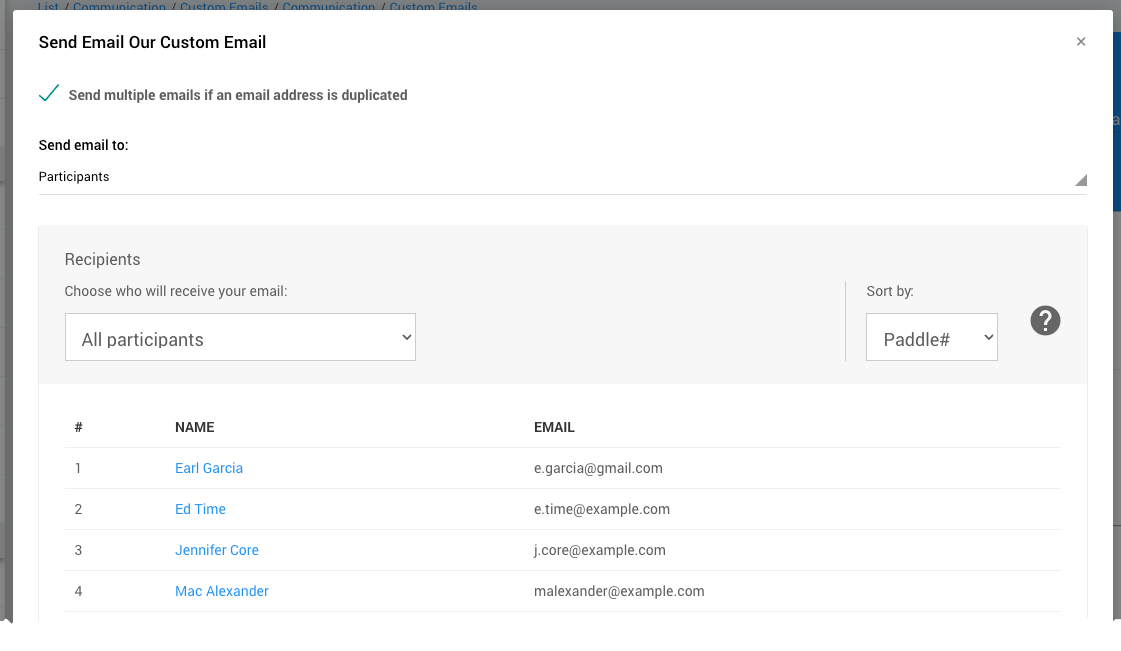
The recipient selection window from a demonstration event.
Step 3: Choose Recipients
The Send Email to: option is set to Participants by default. To email your donors instead, click Participants, then click Donors.
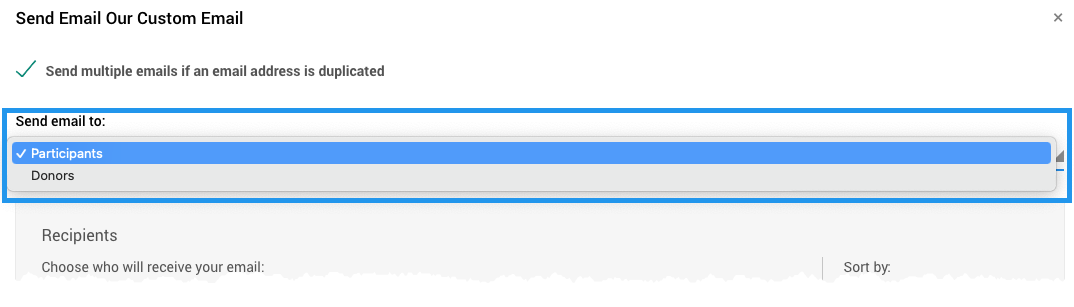
The Send Email to: option from a demonstration event.
Participant Recipients Filters
By default, the email goes to all participants. To narrow it down, click the Recipients drop-down and choose a different filter.
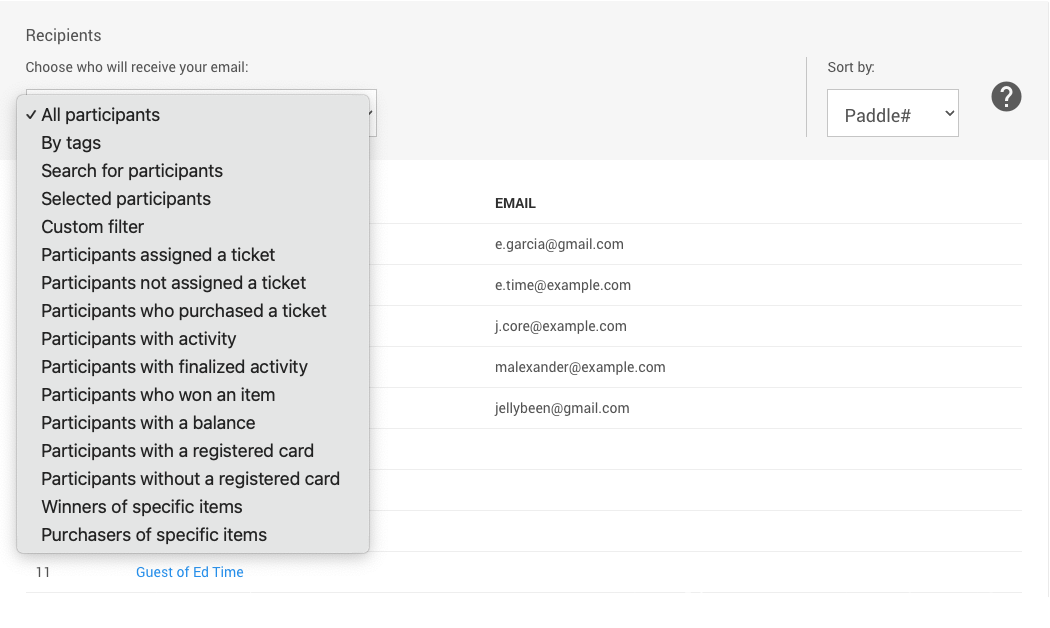
An example using participants from a demonstration event.
See Choose Participants Filters for more about the available Recipients filters.
Donors Recipients Filters
When you send to donors, the Recipients option is set to Active donors by default. To change it, click the drop-down and choose a different filter.
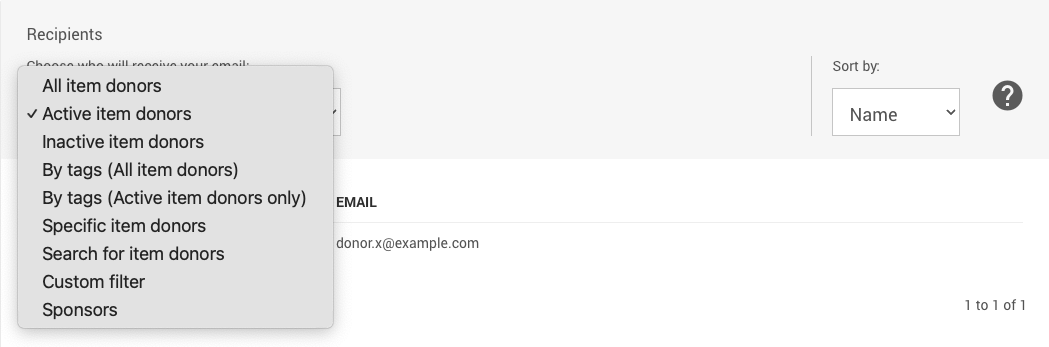
An example using donors from a demonstration event.
Step 4: Send and Confirm
When you've chosen your recipients, click the Send button at the bottom of the Recipients Selection window.
A Confirmation window opens with a summary of your selections. It shows the Name of the email, the number of recipients, and whether you're emailing participants or donors.
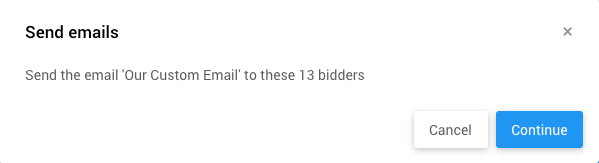
An example using the sample Custom Email from above.
Review Your Sent Emails
Want to see what you've sent? Click Communication → Email → Full Email History (in the Email Manager page's sidebar menu) to view your organization's Email History.
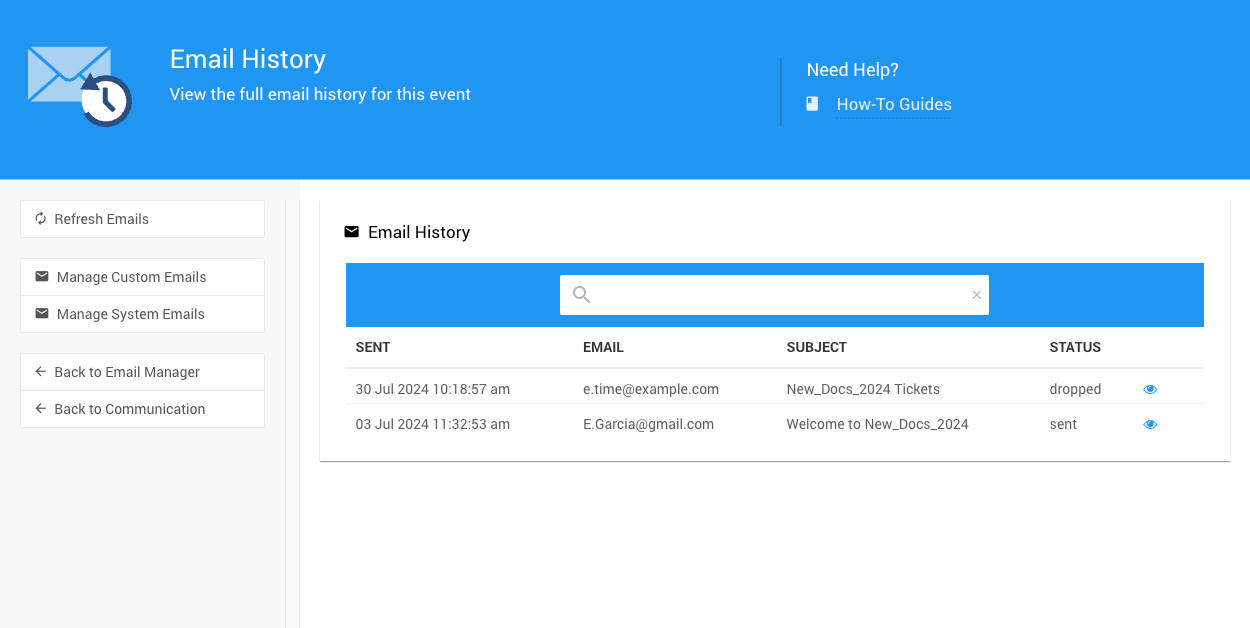
An example list of Recent Emails.