
Duplicate Participant
An overview of duplicating a participant in an event to be used by another participant.
The Duplicate Participant function copies an existing participant's details into a new record — useful when adding multiple people from the same company or family who share similar information.
Duplicate a Participant
Open the Participant Details page for the participant you want to duplicate, then click Duplicate Participant in the Editing section of the left sidebar.
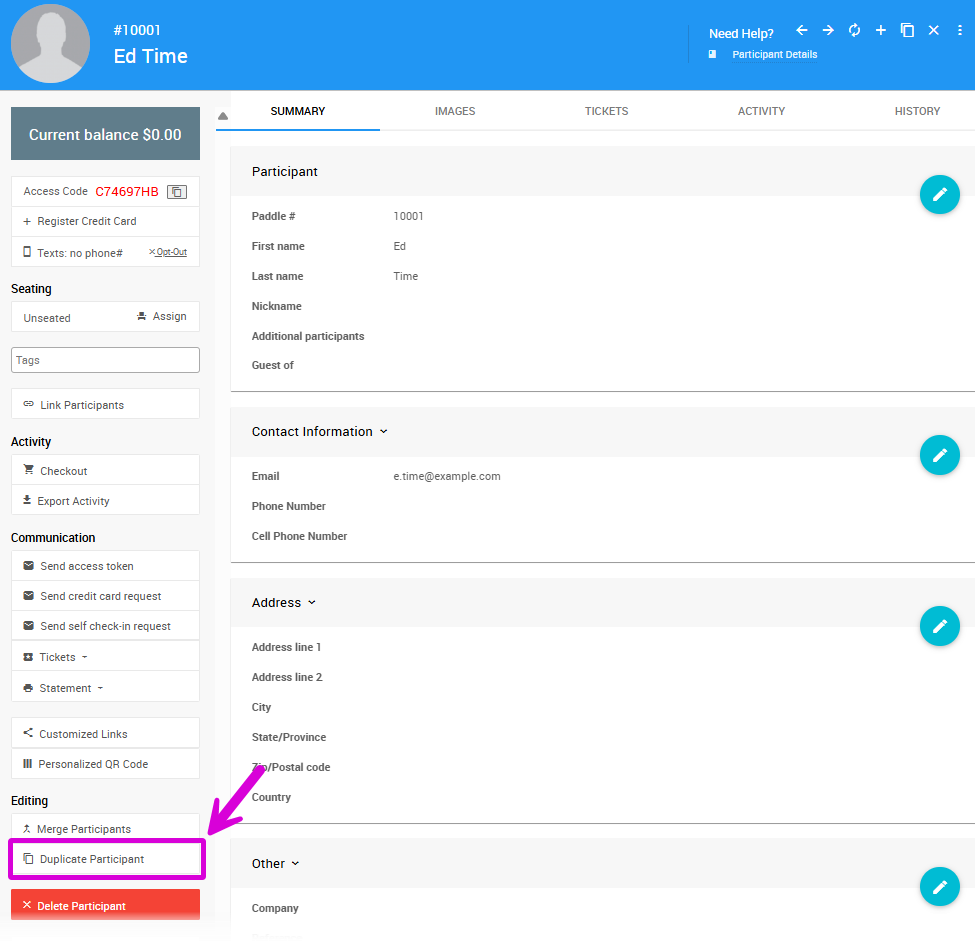
This opens the Register Participant page with the original participant's details pre-filled. See Add New Participant for a full breakdown of the available fields.
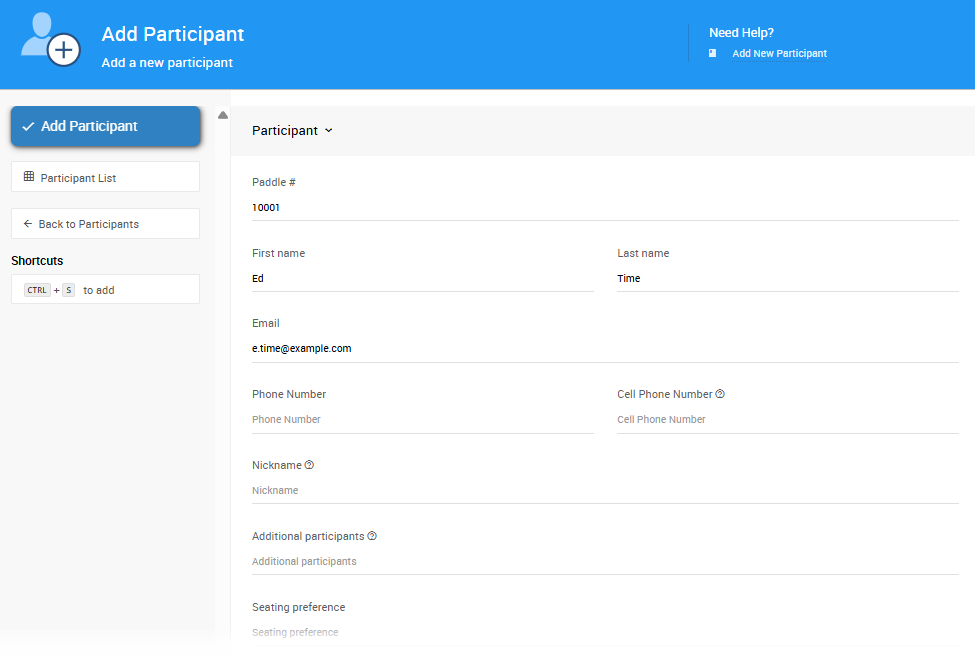
Before saving, review the following:
What Is Not Copied
- The email address is copied from the original and must be changed before saving — duplicate emails are not permitted.
- Participant activity is not copied.
- The registered credit card is not copied.
Linking Or Separating Paddle#'s
The Paddle# is also copied by default, which will link the new participant to the original. To keep them separate, update the Paddle# or clear the field to let the system assign a new number automatically. See Sharing Participant Numbers for more information on linked participants.
Once you've updated the relevant details, click Save Participant.
Last reviewed: March 2026