
Removing Users
Remove a user from your organization.
You may need to remove users when someone leaves your organization, no longer needs access, or when cleaning up old accounts. Removing a user revokes their access to all events in your organization.
Important Restrictions
- You cannot delete yourself while logged in. Another admin must remove your account.
- You cannot remove the last admin user. There must always be at least one admin to manage the organization.
When to Remove a User
Remove a user when:
- Someone has left your organization
- A volunteer no longer needs access
- You're cleaning up old or unused accounts
How to Remove a User
There are two ways to delete a user:
Method 1: From the Users List (Quickest)
- From the main event dashboard, click Organizations in the sidebar
- Click Users to view all users in your organization

- Find the user you want to remove
- Click the red X icon at the far right of their row
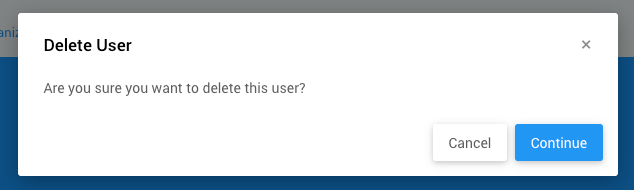
- Click Continue in the confirmation window
Method 2: From User Details
- From the main event dashboard, click Organizations > Users
- Click on the user you want to remove (or double-click their row)
- On the User Details page, click the red Delete User button in the sidebar

- Click Continue in the confirmation window
What Happens When You Remove a User
When you delete a user:
- They immediately lose access to all events in the organization
- They can no longer log in to the organization
- Their historical activity (like who recorded a bid or processed a checkout) remains in the system for record-keeping
- They will not receive any notification that they've been removed
Replacing Users
If someone is leaving but a new person is taking over their role, see Replace A User.
Troubleshooting
I can't delete a user
Make sure you're not trying to delete yourself or the last admin. If you need to remove your own account, have another admin delete it.
I accidentally deleted a user
You can re-add them using the same email address. See Add User for instructions. However, you'll need to reset their permissions.
The user still has access after deletion
The user may still have their browser logged in. They won't be able to access anything once they log out or their session expires.
Last reviewed: February 2026