
Export Stripe Data
Learn about exporting your Stripe data from Auctria.
Overview
When you process credit card payments through Stripe, your bank receives daily transfers that combine all charges, subtract fees, and account for refunds. This can make it difficult to match transfers with your event activity.
To help with reconciliation, you can download a detailed spreadsheet showing all the individual charges and transactions that make up each transfer.
How to Export Your Stripe Data
User Permissions for Stripe Export
You need administrator privileges to export Stripe data. Learn more about user permissions.
Step 1: Navigate to Stripe Connection
- Go to your Event Dashboard
- Click Financials Credit Cards Stripe.com Connection
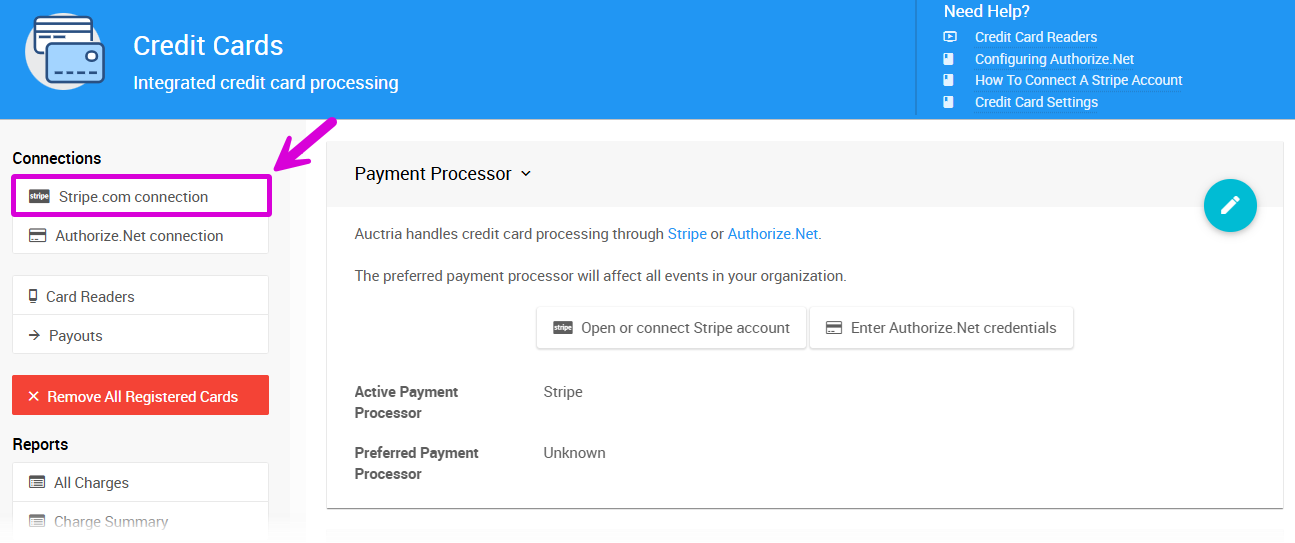
Step 2: Start the Export
On the Stripe.com connection page, click Export Stripe Data.
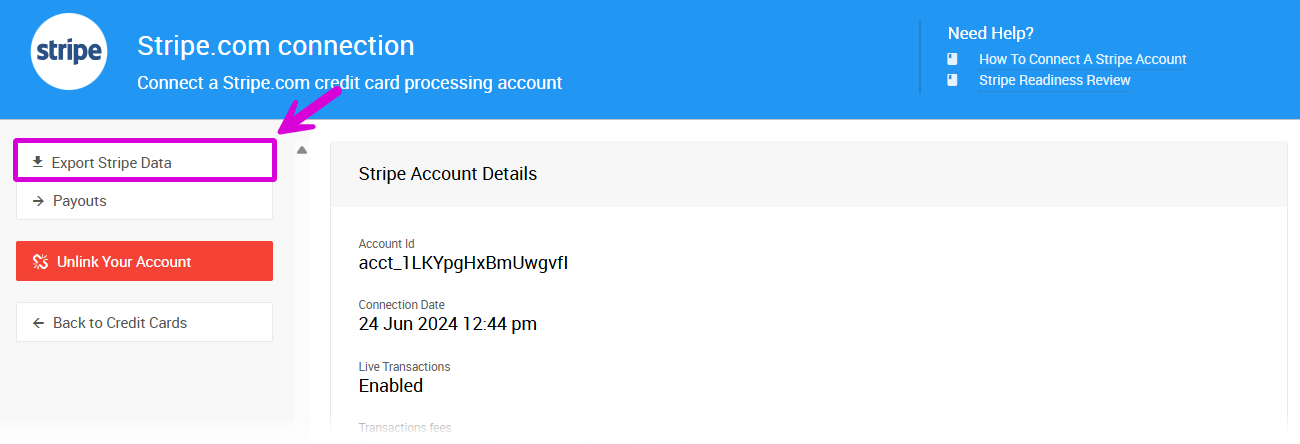
Step 3: Choose Your Date Range
A window will appear asking you to Download transaction data from Stripe?
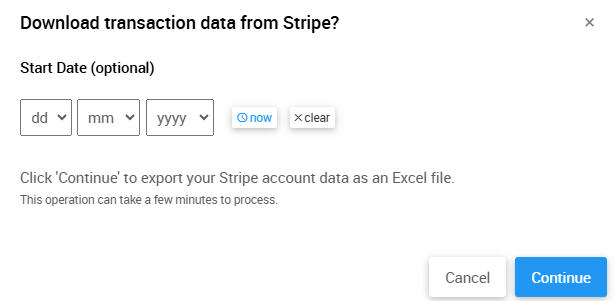
If you have multiple years of data, you can set a starting date to focus on recent transactions only.
Click Continue to begin the download.
Download time
The export may take a few minutes if you have many transactions. A progress bar will show you how long it will take.

Understanding Your Downloaded Report
Once complete, your browser will either prompt you to save the file or automatically save it to your downloads folder.
The spreadsheet contains two worksheets:
Charges Worksheet
Shows one row for each credit card charge with:
- Date of charge
- Charge identifier
- Amount charged
- Participant information
Transfers Worksheet
Shows one row for each transaction within a transfer with:
- Transfer ID (second column)
- Net amount (after fees)
To reconcile a transfer: Add up all rows with the same transfer ID in the 'net amount' column to get the total transfer amount.
Refunded charges in Stripe Export
Most rows represent charges with both the original amount and net amount (after fees). Refunded charges appear as negative amounts.
Additional Credit Card Reports
Beyond the Stripe export, you can access these helpful reports for charges processed through your organization's Stripe account:
- Credit Card Charges - Detailed report of all charges
- Credit Card Summary - Total charges summary
Both reports are found under Reports > Financial | Payments.
Last reviewed: July 2024